Wondering why a long paperback earns so little at the same price as a short one? You’re in the right place! Printing cost scales with page count and comes off your share before you see a cent. Enter a price, a page count and an ink type to get the printing cost, the royalty per copy, and the lowest price the book can be listed at without losing money. Paperback and Kindle, no sign-up.
KDP Royalty Calculator
Design with DESIGNRR today
Work Out What You Actually Keep Per Copy, Absolutely Free!
Work out what you actually earn per book
Enter a list price and a page count and see the printing cost, the royalty rate that applies, what you keep per copy, and the lowest price the book can be sold at without losing money.
- The printing cost firstRoyalty is a share of the list price minus what it costs to print. The printing cost is shown on its own, because it is the part people forget.
- The minimum priceBelow a certain list price a paperback cannot be published at all, because the royalty will not cover the print run. That floor is calculated for you.
- Paperback and KindleBoth royalty models, including the delivery fee that quietly comes off the 70 percent Kindle rate.
How it works
- Choose paperback or Kindle and enter your list price.
- Add the page count and ink type, or the file size for an ebook.
- Read the printing cost, the royalty per copy and the minimum price.
The number that surprises people
Royalty on a paperback is not a percentage of the cover price. It is a percentage of the cover price with the printing cost taken off, and the printing cost is driven almost entirely by page count. A 400 page book costs roughly twice as much to print as a 200 page one, so two books at the same price can pay very differently.
This is where a first paperback goes wrong. Someone prices a long book at what feels reasonable next to comparable titles, and the margin left after printing is a few cents. The fix is to run the number before the price is set rather than after the first royalty statement.
How the two rates work
A paperback earns the higher royalty rate at and above a threshold list price, and a lower rate below it. That produces a cliff rather than a slope: pricing a book just under the threshold can pay less per copy than pricing it just over, even though the buyer pays less. The calculator shows which side of that line you are on.
Kindle works differently. There are two plans, and the higher one is only available inside a price band. Above or below that band you drop to the lower rate, which is less than half as much per sale. The higher plan also carries a delivery charge based on the size of the file, which is why an image-heavy book can earn noticeably less than a plain text one at the same price.
The minimum list price, and why it exists
Every paperback has a price below which it cannot be listed. The retailer takes its share off the top, and what is left has to cover printing. If the list price is low enough that it does not, there is no price to publish at, and the upload is rejected.
Working backwards from that floor is the useful move. It tells you what the book has to be worth to a reader before it is worth printing at all, and on a long book the answer is often higher than the author expected. If the floor comes out above what the market will pay, the lever is page count rather than price: tighter interior design, a smaller trim size, or fewer pages.
Where these numbers come from, and when to check them
The rates here are Amazon's published figures for the Amazon.com marketplace on standard distribution, and the date they were last checked is printed under the results. Amazon changes them, expanded distribution pays differently, and other marketplaces have their own printing costs in their own currencies. Treat this as the arithmetic done correctly against a known table, and confirm the table against KDP before you commit to a price.
One thing the calculator cannot tell you is whether the book is worth its price, which is mostly a question of how it looks. A well-designed interior and a cover that reads at thumbnail size support a higher price than a converted manuscript does. Designrr builds that side of it, turning your content into a laid-out book with templates, a cover designer and an automatic contents page.
Questions
Why is my royalty so low on a long book?
Because printing cost scales with page count and comes straight off your share. Past a few hundred pages it can be most of the margin. Either the price goes up or the page count comes down.
What is the minimum list price?
The lowest price at which your royalty still covers the printing cost. Below it the book cannot be published. It is the printing cost divided by the royalty rate, and the calculator shows it for your page count.
Why does the Kindle rate drop outside a price band?
The 70 percent plan is only offered within a set price range. Price above or below it and you fall to 35 percent, which usually means earning less per copy at a higher price.
What is the delivery fee?
On the 70 percent Kindle plan Amazon charges per megabyte of file size, deducted from each sale. A text-only book is negligible. An illustrated one is not.
Does this cover expanded distribution?
No. These are standard distribution rates for Amazon.com. Expanded distribution pays a lower rate on the same printing cost, so the minimum list price is higher.
Are these rates current?
The date they were last checked is printed under the results. Amazon changes its printing costs without much notice, so confirm against KDP before setting a final price.
Price Your First Book Free Today
A 200-page black-ink paperback costs $3.40 to print. A 600-page colour one costs $49. Once you know what the book has to earn, the question is whether it looks worth the asking price. Step up with Designrr and build the designed interior and the cover from content you already have. Start small, grow big with Designrr.
Take Your eBooks to the Next Level with Designrr

Save Time and Money
Publish in Minutes
Here's How it Works
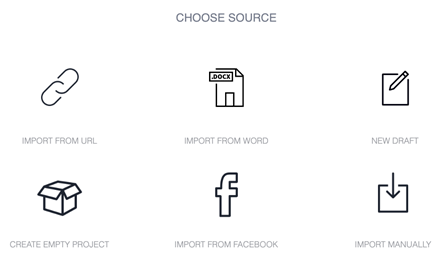
Choose Source
Import Content or Start from Scratch
Designrr works with all websites, Word or any editor
Simply enter the url when you start a new project. We’ll start loading the content in the background, ignoring all the site navigation, adverts, sharing icons and anything you wouldn’t want in an ebook.
- Import from a URL, Word, or Google Docs
- Or click New Draft to start from scratch
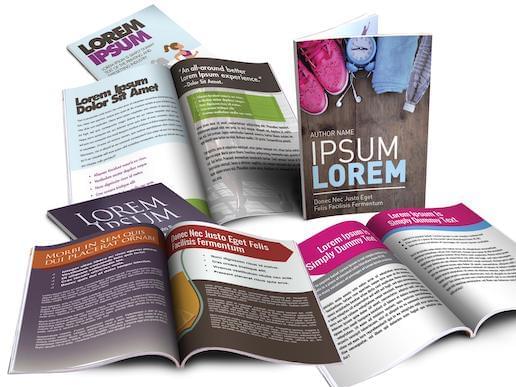
Template Library
Choose an eBook Template
Get started immediately with over 100 project templates
You can completely customize it afterwards, changing images, fonts and styles.
- Change the cover image to whatever you want
- Use single or two column layouts
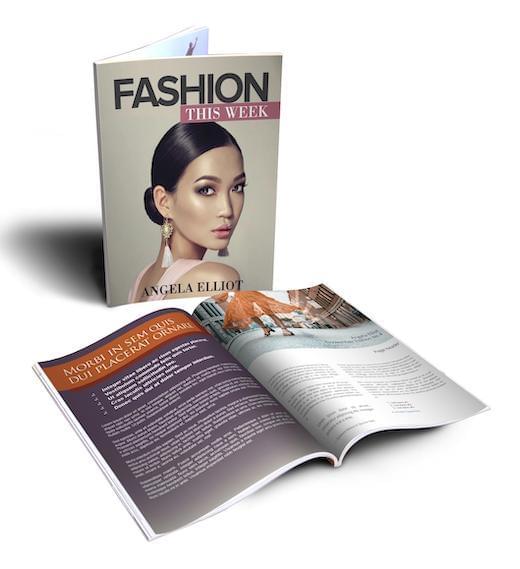
Publish to PDF & ePub
Customize and Publish
Adjust and tailor your book to suit your style
Add images from our copyright free image search or upload your own. Change your ebook format with font styles, the ebook cover, headers and foots and finally add a call to action.
- With one click you can publish
- The pdf is also stored in your account so you can access it anytime and download it to your computer
- It's yours to keep
More Power Features in Designrr Include
One click global editing
Complete Control
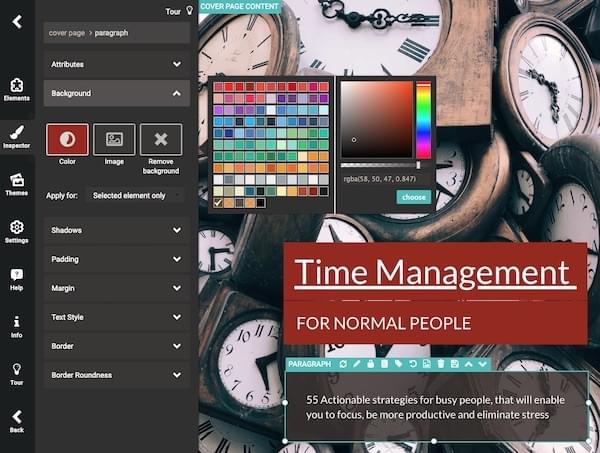
If you want to go deeper and customize, then you can change anything within your ebook using our design drag-and-drop tool.
- You can edit text, background colors, fonts, styles, images
Create Ebooks from Facebook
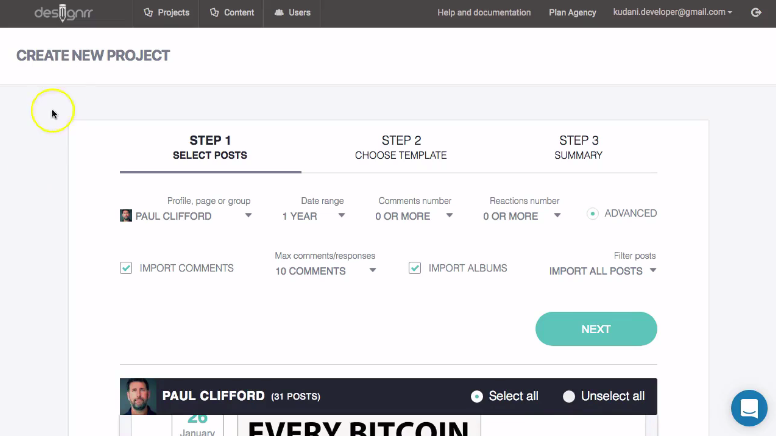
Facebook Import
You can import from your Facebook profile or Page, so you can create an ebook from your social posts and photos.
Add beautiful images to all your projects
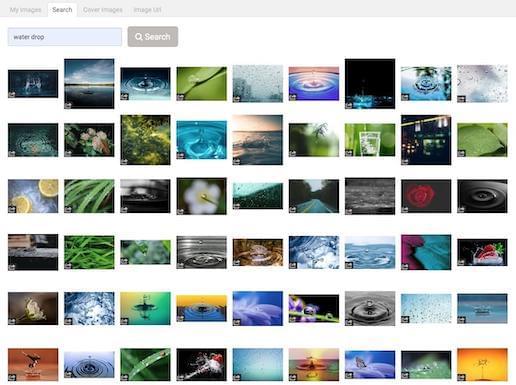
Copyright Free Image Library
Search across stunning millions of copyright free images from Unsplash, Pixabay or upload your own, the choice is yours.
- You can add an image anywhere in the content or use as a cover image
Stylize your images
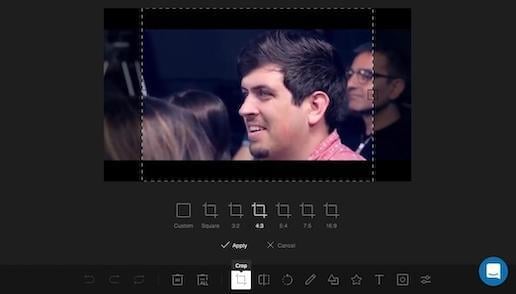
Image Editor
To crop, resize or color your images, there is an inbuilt image editor.
- No external photo editing tools required
Automated TOC & Page Numbers
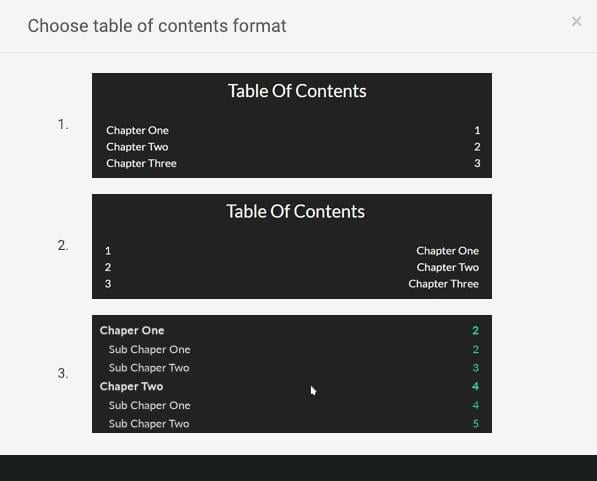
Table of Contents & Page Numbering
With 1 Click, Designrr will create your table of contents for your ebook, including page numbering and customizable headers and footers.
- The Table Of Contents generator also handles nested headers so users can navigate to anywhere in the document
- Pages are numbered automatically and can be customized to your color scheme
- All links are clickable
For Writing Your Content
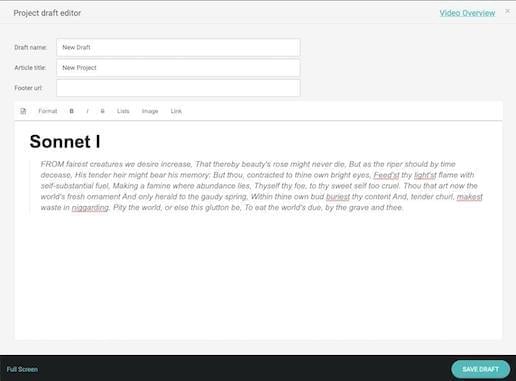
Project Draft Editor
When your content is not ready for design or you want to start from scratch. We provide a simple, clean editor for writers. No distractions, no complications. Just for writing and editing.
- The Draft editor is also ideal when you want to copy and paste content from anywhere
- You can import multiple drafts into your ebook
How to Use These eBooks
With Designrr You Just...
Import your content, select a template, change the cover image and generate PDF. That's it! Nothing more is needed.
BUT that's not all...
You also get these bonuses.
BONUS 1
FREE Commercial License Value: $497
The commercial license allows you to create unlimited eBooks and sell them to clients with no fees or royalties to pay.
- All our designs will be provided to you, to re-use and re-sell to your clients.
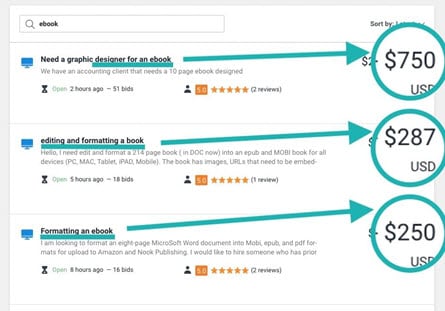
- Sell ebook services online in marketplaces like Freelancer.com, Upwork & Fiverr.
BONUS 2
FREE Marketing eBook
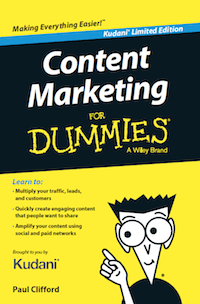
Get the digital edition of my book: Content Marketing For Dummies
This Book Outlines the PICASSO 5 Step Framework that Removes the Effort From Content Marketing. Whether your are a Brand, Small Business, Agency or Entrepreneur – This is for you!
How to get high quality, evergreen traffic without writing any content from scratch.
- Learn how to market your ebooks and your business online.
BONUS 3
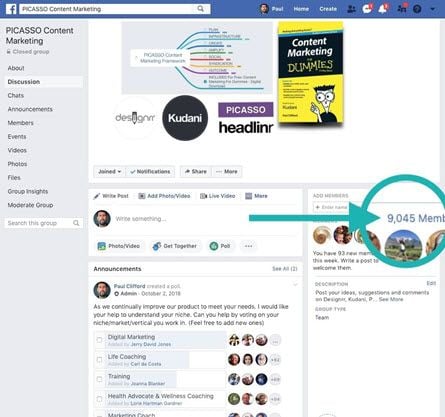
FREE Facebook Community & Coaching
Get Peer support, experience and advice from our 9000 member strong community.
- Weekly Livestreams covering various coaching topics, software features and implementation guides.
- Free personalized training. Simply leave a message in the support chat.
Join over 140,000 customers using Designrr ebook creator
I have been using Designrr for about a month and produced dozens of topic specific ebooks for my counselling and coaching clients for my Mens Health improvement organization. They love them and are quite useful for cutting the clutter from hundreds of websites.

Stephen Bennett
EntrepreneurI use Designrr for all my Ebooks now. Much faster than InDesign and user-friendly too.

Maryle Malloy
EntrepreneurDesignrr made it ridiculously easy for us to create and then publish an e-book that looked great, was easy to read, and looked incredibly professional. The tools included allowed us to quickly pull in the information we needed and sort it in a way that made the book flow. Editing the content was just as easy! We were able to drop in our own media as needed throughout the book and make it really stand out. Designrr has been a critical part of our success!

Nelson Ruger
artofnelson.comDesignrr works for me like a virtual editor -- I give it content and it gives the content a professional look and feel. This removed between 30% to 50% of my workload so I am able to get ebooks to the market faster. VERY HAPPY I found this!!!

Tamara Ann Follett
EntrepreneurWe were able to 3x our revenue by adding transcriptions as an option to our content services. The perceived value for the client is huge and we could charge more. The secret is by using Designrr we are able to save so much time the extra work is almost nothing.

Josh Clifford
LVRGDesignrr has saved us so much time in our business. We like to create blog posts and then repurpose them as PDFs on several other websites. It has been great for SEO. Using Designrr we've managed to spread our content everywhere and it takes about 10% of the time that it used to. It's an integral part of our business now.

Matt Wolfe
Hustle & Flow PodcastThe guys behind this product have an amazing after sales customer care service. I was dubious until I took a chance and went with them. I am so glad I did!
Roger Daniel
Radio PresenterStart growing with DESIGNRR today
Ready to create your first ebook in under 2 minutes?
Want to Learn More?
Get Started Now