Want the checklist or guide that actually earns an email address? You’re in the right place! Pick one of four designed formats, type your content, and watch the real PDF redraw as you go. What’s on screen is the file you download, not an approximation of it. No sign-up, no cost, no watermark, and you’re free to sell whatever it makes.
Free Lead Magnet Creator
Design with DESIGNRR today
Build the PDF Behind Your Opt-In Form, Absolutely Free!
Make a lead magnet people will actually download
Type your content, pick a format, and get a designed PDF: a checklist, a quick-start guide, a worksheet or a cheat sheet. The preview is the real file. No account, nothing uploaded.
- The preview is the fileYou are looking at the actual PDF being rendered, not an approximation of it. What is on screen is what downloads.
- Four formats that workChecklist, quick-start guide, worksheet and cheat sheet. The shapes that account for most of what gets downloaded, already laid out.
- No watermark, no emailA tool for building an opt-in should not put you behind one. Type, download, use it commercially.
How it works
- Pick a format and type your title.
- Add your sections and the lines under each one.
- Choose a colour, then download the PDF.
The gap between wanting a lead magnet and having one
The advice is always the same: offer something worth an email address. What nobody tells you is that the writing is the short part. You can draft a decent checklist in twenty minutes and then lose a morning trying to make it look like something rather than a Word document with bullet points, because a lead magnet that looks like a Word document with bullet points is a lead magnet people do not finish.
That is a layout problem, not a content problem, and it is exactly the kind of layout problem that has a small number of right answers. This tool has those answers built in. You supply the content and the design decisions are already made.
Four formats, and which one to reach for
A checklist is the highest-converting shape there is, because it promises completeness and it is obvious at a glance how long it will take. Use it for anything with a before-you-launch or did-you-remember flavour. A quick-start guide numbers the steps, which suits a process that has to happen in order.
A worksheet leaves ruled space under each prompt for the reader to fill in, which turns a download into something they actually sit with, and works well for coaches and consultants. A cheat sheet is the dense reference one, banded and scannable, for the thing people will come back to rather than read once.
What makes the preview trustworthy
Most builders show you an HTML approximation and then generate the real file differently, which is why the download so often has a line break in the wrong place or a heading stranded at the bottom of a page. Here the PDF is generated first and then drawn on screen from the finished file. The preview and the download come from the same source, so they cannot disagree, and you can page through the document before committing to it.
It all happens in the tab. The type you set, the colour you pick and the words you write never leave the machine, and the PDF is written locally. There is no account, no upload, no watermark and no limit on how many you make.
Where a single PDF stops being enough
One well-made PDF is a real lead magnet and for a lot of offers it is all you need. It stops being enough when the thing you are giving away is longer than a few pages, when it needs chapters and a contents page, when it should exist as a flipbook as well as a file, or when you are producing one of these a week and reusing content across them.
That is the point at which you want a book tool rather than a page tool. Designrr imports the content you already have, blog posts, documents, transcripts, and builds the designed ebook or flipbook, with a template library, a cover designer, an automatic contents page and one-click export.
Questions
Is there a watermark?
No. The PDF is clean and you can use it commercially, including as a paid product if you want to.
Do I need an account?
No account, no email, no sign up. A tool for building an opt-in should not put you behind one.
Is what I type sent anywhere?
No. The PDF is written in your browser and your text never leaves it. Nothing is uploaded or stored.
Can I add my logo?
Not in this tool. You can set the accent colour and a footer line with your site name. For a logo, a real cover and full branding, you want a book designer rather than a page builder.
How many pages can it make?
As many as your content needs. Add sections and the document flows onto new pages, which you can page through in the preview before downloading.
What size is the PDF?
A4, which prints correctly nearly everywhere and reads fine on screen.
Create Your First Lead Magnet Free Today
Make something worth an opt-in before your coffee goes cold. Loved how easy it was? Step up with Designrr and turn blog posts, videos and transcripts into full ebooks and flipbooks, with a cover designer and a contents page built in. One free tool, a whole content library behind it. Start small, grow big with Designrr.
Take Your eBooks to the Next Level with Designrr
Save Time and Money
Publish in Minutes
Here's How it Works
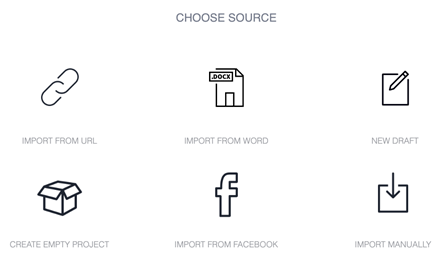
Choose Source
Import Content or Start from Scratch
Designrr works with all websites, Word or any editor
Simply enter the url when you start a new project. We’ll start loading the content in the background, ignoring all the site navigation, adverts, sharing icons and anything you wouldn’t want in an ebook.
- Import from a URL, Word, or Google Docs
- Or click New Draft to start from scratch
Template Library
Choose an eBook Template
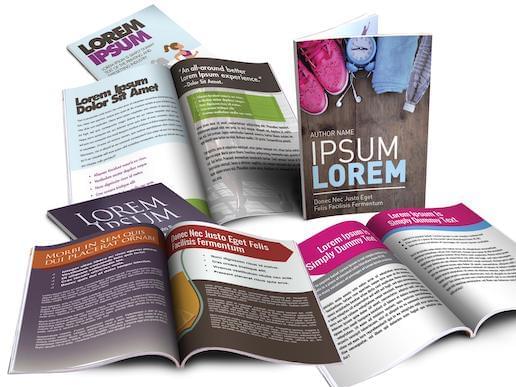
Get started immediately with over 100 project templates
You can completely customize it afterwards, changing images, fonts and styles.
- Change the cover image to whatever you want
- Use single or two column layouts
Publish to PDF & ePub
Customize and Publish
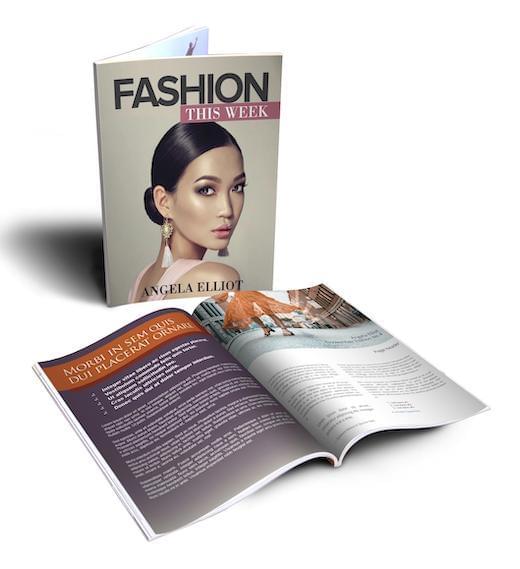
Adjust and tailor your book to suit your style
Add images from our copyright free image search or upload your own. Change your ebook format with font styles, the ebook cover, headers and foots and finally add a call to action.
- With one click you can publish
- The pdf is also stored in your account so you can access it anytime and download it to your computer
- It's yours to keep
More Power Features in Designrr Include
One click global editing
Complete Control
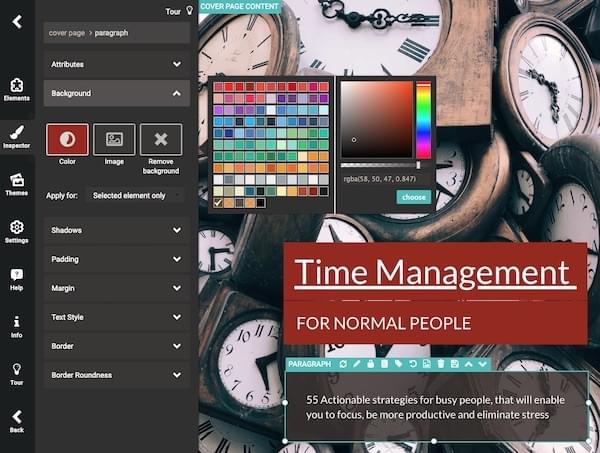
If you want to go deeper and customize, then you can change anything within your ebook using our design drag-and-drop tool.
- You can edit text, background colors, fonts, styles, images
Create Ebooks from Facebook
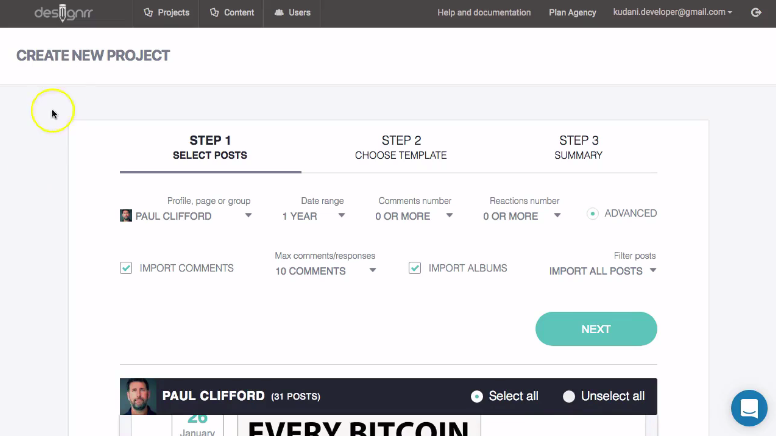
Facebook Import
You can import from your Facebook profile or Page, so you can create an ebook from your social posts and photos.
Add beautiful images to all your projects
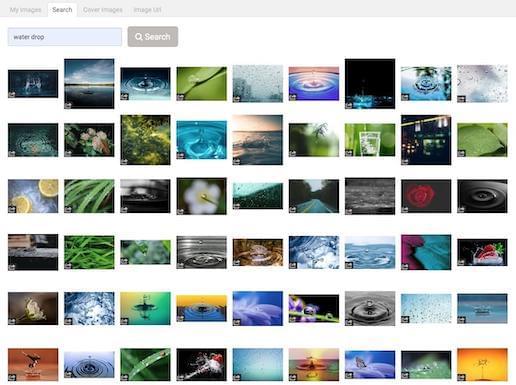
Copyright Free Image Library
Search across stunning millions of copyright free images from Unsplash, Pixabay or upload your own, the choice is yours.
- You can add an image anywhere in the content or use as a cover image
Stylize your images
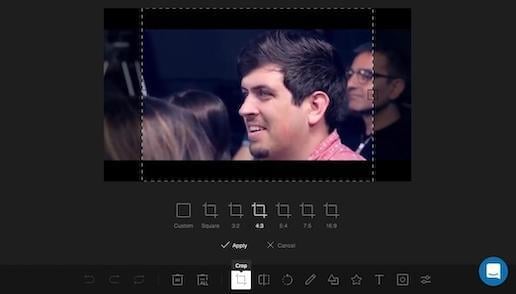
Image Editor
To crop, resize or color your images, there is an inbuilt image editor.
- No external photo editing tools required
Automated TOC & Page Numbers
Table of Contents & Page Numbering
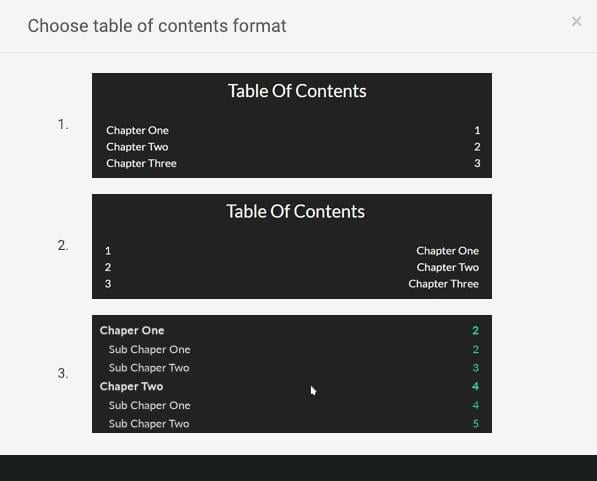
With 1 Click, Designrr will create your table of contents for your ebook, including page numbering and customizable headers and footers.
- The Table Of Contents generator also handles nested headers so users can navigate to anywhere in the document
- Pages are numbered automatically and can be customized to your color scheme
- All links are clickable
For Writing Your Content
Project Draft Editor
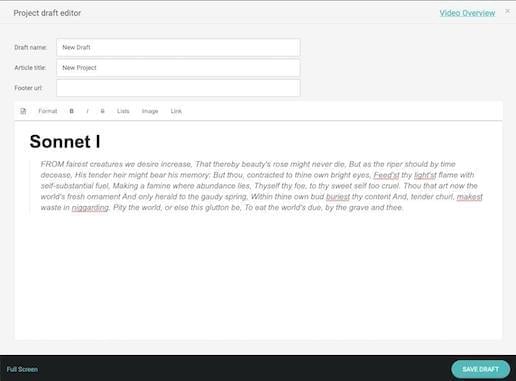
When your content is not ready for design or you want to start from scratch. We provide a simple, clean editor for writers. No distractions, no complications. Just for writing and editing.
- The Draft editor is also ideal when you want to copy and paste content from anywhere
- You can import multiple drafts into your ebook
How to Use These eBooks
With Designrr You Just...
Import your content, select a template, change the cover image and generate PDF. That's it! Nothing more is needed.
BUT that's not all...
You also get these bonuses.
BONUS 1
FREE Commercial License Value: $497
The commercial license allows you to create unlimited eBooks and sell them to clients with no fees or royalties to pay.
- All our designs will be provided to you, to re-use and re-sell to your clients.
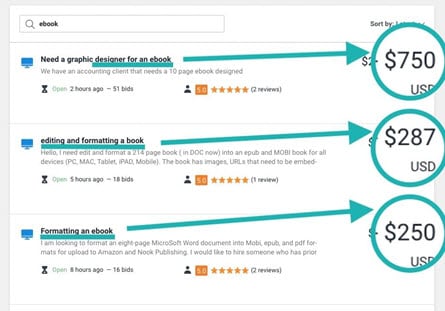
- Sell ebook services online in marketplaces like Freelancer.com, Upwork & Fiverr.
BONUS 2
FREE Marketing eBook
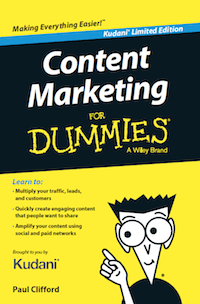
Get the digital edition of my book: Content Marketing For Dummies
This Book Outlines the PICASSO 5 Step Framework that Removes the Effort From Content Marketing. Whether your are a Brand, Small Business, Agency or Entrepreneur – This is for you!
How to get high quality, evergreen traffic without writing any content from scratch.
- Learn how to market your ebooks and your business online.
BONUS 3
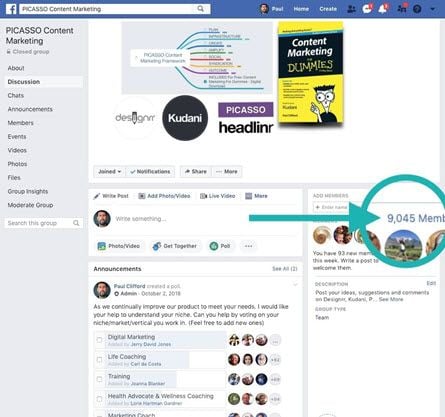
FREE Facebook Community & Coaching
Get Peer support, experience and advice from our 9000 member strong community.
- Weekly Livestreams covering various coaching topics, software features and implementation guides.
- Free personalized training. Simply leave a message in the support chat.
Join over 140,000 customers using Designrr ebook creator
I have been using Designrr for about a month and produced dozens of topic specific ebooks for my counselling and coaching clients for my Mens Health improvement organization. They love them and are quite useful for cutting the clutter from hundreds of websites.

Stephen Bennett
EntrepreneurI use Designrr for all my Ebooks now. Much faster than InDesign and user-friendly too.

Maryle Malloy
EntrepreneurDesignrr made it ridiculously easy for us to create and then publish an e-book that looked great, was easy to read, and looked incredibly professional. The tools included allowed us to quickly pull in the information we needed and sort it in a way that made the book flow. Editing the content was just as easy! We were able to drop in our own media as needed throughout the book and make it really stand out. Designrr has been a critical part of our success!

Nelson Ruger
artofnelson.comDesignrr works for me like a virtual editor -- I give it content and it gives the content a professional look and feel. This removed between 30% to 50% of my workload so I am able to get ebooks to the market faster. VERY HAPPY I found this!!!

Tamara Ann Follett
EntrepreneurWe were able to 3x our revenue by adding transcriptions as an option to our content services. The perceived value for the client is huge and we could charge more. The secret is by using Designrr we are able to save so much time the extra work is almost nothing.

Josh Clifford
LVRGDesignrr has saved us so much time in our business. We like to create blog posts and then repurpose them as PDFs on several other websites. It has been great for SEO. Using Designrr we've managed to spread our content everywhere and it takes about 10% of the time that it used to. It's an integral part of our business now.

Matt Wolfe
Hustle & Flow PodcastThe guys behind this product have an amazing after sales customer care service. I was dubious until I took a chance and went with them. I am so glad I did!
Roger Daniel
Radio PresenterStart growing with DESIGNRR today
Ready to create your first ebook in under 2 minutes?
Want to Learn More?
Get Started Now