Need to convert your URL into an EPUB file for seamless eBook reading? You’re in the right place! Our free URL-to-EPUB converter makes it quick and easy—no sign-up, no cost, just results. Whether you’re an author, student, or avid reader, this tool ensures your content is ready for any eReader in minutes.
Free URL to EPUB Converter
Convert URLs Instantly
Design with DESIGNRR today
Convert Your URLs to EPUB, Absolutely Free!
Turn a webpage into an EPUB
Paste up to ten article URLs. Each one becomes a chapter in a single ebook, with the navigation, adverts and comment threads stripped out.
One URL per line. Public pages only.
We fetch the page HTML, because a browser cannot read another site directly. Your ebook is assembled here and never stored.
- Ten pages, one bookEach URL becomes its own chapter, in the order you paste them, with a navigable contents page.
- The article, not the furnitureNavigation, sidebars, comment threads, related-post rows, share buttons and adverts are all removed.
- The one tool here that uses a serverA browser cannot read another website, so ours fetches the page. Your finished ebook is still built in this tab.
How it works
- Paste the URLs of the posts you want to include.
- Set a title and author, or let the importer read them from the page.
- Download the EPUB and open it in any reader.
A browser cannot read another website
Every other converter on this site runs entirely inside your browser, and we say so loudly because it is unusual. This one cannot, and pretending otherwise would be dishonest.
A web page you did not visit is, from your browser's point of view, off limits. It refuses to fetch it, for the same security reason it refuses to let one open tab read another. So when you paste a URL, our server fetches that page, pulls the article out of it, and sends back the text and a list of the images.
What happens after that is the same as everywhere else here. The images are fetched, the chapters are assembled, the EPUB is zipped up in this tab, and no part of the finished book is ever stored by us. We fetch the page. We do not keep the book.
What survives the extraction
A modern article page is mostly not the article. There is a header, a navigation bar, a sticky subscribe prompt, a sidebar of popular posts, a share rail, a related-posts row, a comment thread and a footer of legal links. The words you actually came for are a minority of the page.
The extractor scores every block of the page on how much prose it contains and how much of that prose is wrapped in links, because a paragraph is mostly text and a navigation menu is mostly links. The winning block is the article. What comes across is headings, paragraphs, lists, block quotes, tables and images. What does not is everything above.
Paywalled and members-only posts will not work. The page is fetched the way a search engine sees it, so if a logged-out visitor cannot read it, neither can this.
Reading it later, on something that is not a screen full of adverts
The simplest use is the oldest one. You find six long articles you do not have time for. You paste the URLs, download an EPUB, and read them on an e-reader on a train with no signal, at a font size you chose, with nothing blinking at you.
Because each URL becomes a chapter, a series that was published across six weeks reads as one thing, in order, the way it should have been published.
From a plain ebook to one you would put your name on
If you are a blogger, the reason to do this is different. Years of posts on one theme are already a book, badly organised. Gathering them into an EPUB is the first step and takes about a minute.
What comes out is structurally correct and visually plain. There is no cover, no chapter opener, no pull quote, no considered typography. It is your writing in a container. Turning that into something you would offer as a lead magnet or sell is a design job, not a conversion job.
Questions
How many posts can I include?
Ten per conversion. That keeps the fetch fast and stays inside what a browser can assemble comfortably. Run the tool twice and merge if you need more.
Does it work on paywalled or members-only posts?
No. The importer fetches the page the same way a search engine would, so it only sees what a logged-out visitor sees.
What gets stripped out?
Navigation, sidebars, comment threads, related-post blocks, share buttons and ads. What stays is the article body: headings, paragraphs, lists, blockquotes, tables and images.
Where does the file get built?
Our server fetches the page HTML, because a browser cannot read another site directly. The EPUB itself is assembled in your browser and never stored by us.
Convert Your First URL to EPUB Free Today
Make your URL eBook-ready in a snap. Loved how easy it was? Step up with Designrr—transform blog posts, videos, and more into stunning, professional eBooks. One free converter, endless creative possibilities. Start small, grow big—all with Designrr.
Take Your eBooks to the Next Level with Designrr
Save Time and Money
Publish in Minutes
Here's How it Works
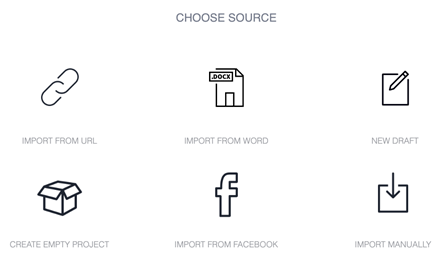
Choose Source
Import Content or Start from Scratch
Designrr works with all websites, Word or any editor
Simply enter the url when you start a new project. We’ll start loading the content in the background, ignoring all the site navigation, adverts, sharing icons and anything you wouldn’t want in an ebook.
- Import from a URL, Word, or Google Docs
- Or click New Draft to start from scratch
Template Library
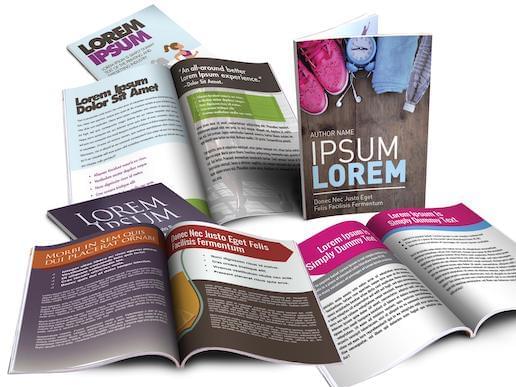
Choose an eBook Template
Get started immediately with over 100 project templates
You can completely customize it afterwards, changing images, fonts and styles.
- Change the cover image to whatever you want
- Use single or two column layouts
Publish to PDF & ePub
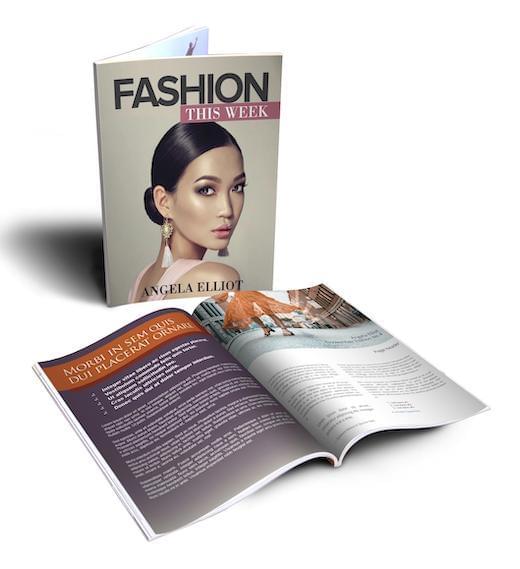
Customize and Publish
Adjust and tailor your book to suit your style
Add images from our copyright free image search or upload your own. Change your ebook format with font styles, the ebook cover, headers and foots and finally add a call to action.
- With one click you can publish
- The pdf is also stored in your account so you can access it anytime and download it to your computer
- It's yours to keep
More Power Features in Designrr Include
One click global editing
Complete Control
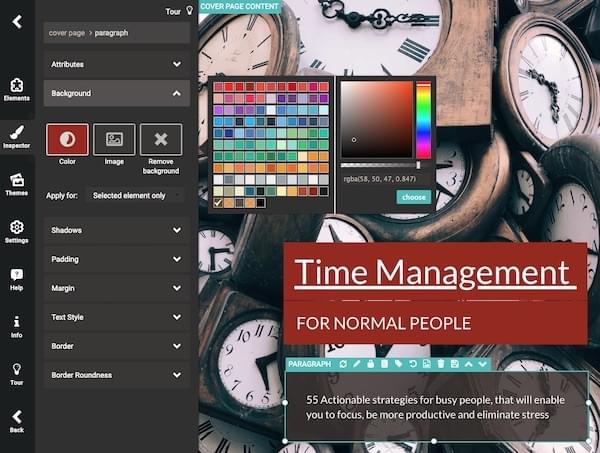
If you want to go deeper and customize, then you can change anything within your ebook using our design drag-and-drop tool.
- You can edit text, background colors, fonts, styles, images
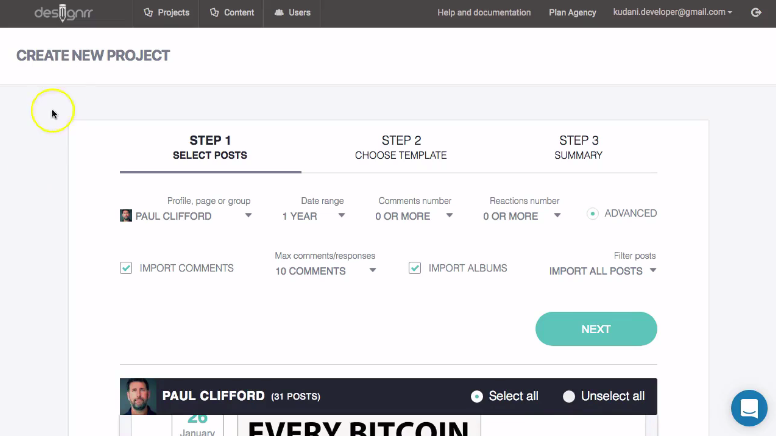
Create Ebooks from Facebook
Facebook Import
You can import from your Facebook profile or Page, so you can create an ebook from your social posts and photos.
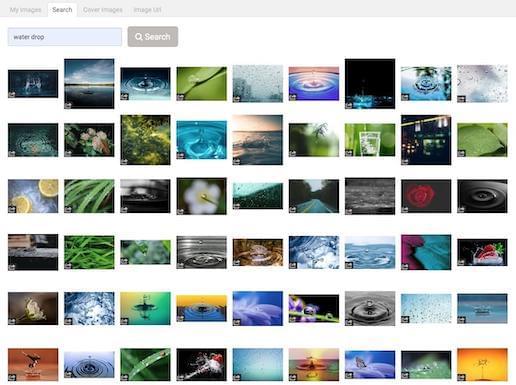
Add beautiful images to all your projects
Copyright Free Image Library
Search across stunning millions of copyright free images from Unsplash, Pixabay or upload your own, the choice is yours.
- You can add an image anywhere in the content or use as a cover image
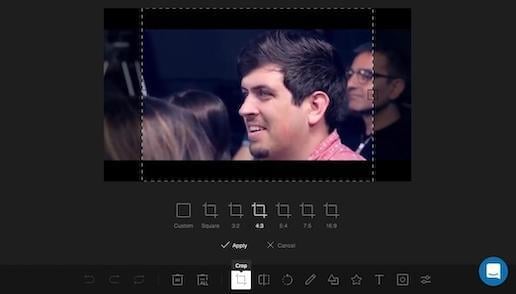
Stylize your images
Image Editor
To crop, resize or color your images, there is an inbuilt image editor.
- No external photo editing tools required
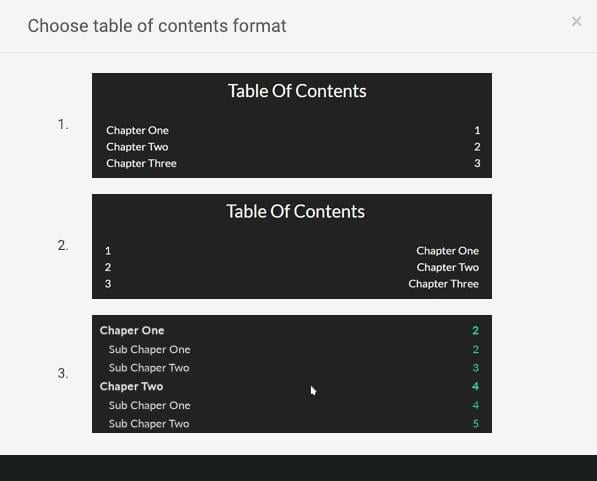
Automated TOC & Page Numbers
Table of Contents & Page Numbering
With 1 Click, Designrr will create your table of contents for your ebook, including page numbering and customizable headers and footers.
- The Table Of Contents generator also handles nested headers so users can navigate to anywhere in the document
- Pages are numbered automatically and can be customized to your color scheme
- All links are clickable
For Writing Your Content
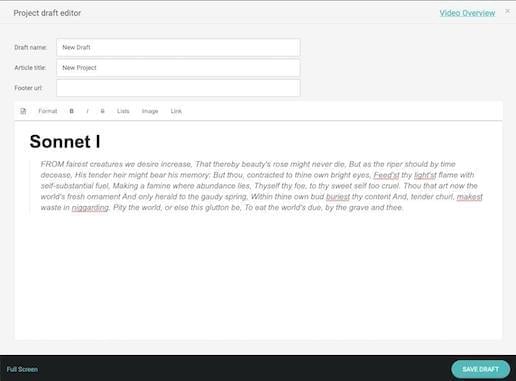
Project Draft Editor
When your content is not ready for design or you want to start from scratch. We provide a simple, clean editor for writers. No distractions, no complications. Just for writing and editing.
- The Draft editor is also ideal when you want to copy and paste content from anywhere
- You can import multiple drafts into your ebook
How to Use These eBooks
With Designrr You Just...
Import your content, select a template, change the cover image and generate PDF. That's it! Nothing more is needed.
BUT that's not all...
You also get these bonuses.
BONUS 1
FREE Commercial License Value: $497
The commercial license allows you to create unlimited eBooks and sell them to clients with no fees or royalties to pay.
- All our designs will be provided to you, to re-use and re-sell to your clients.
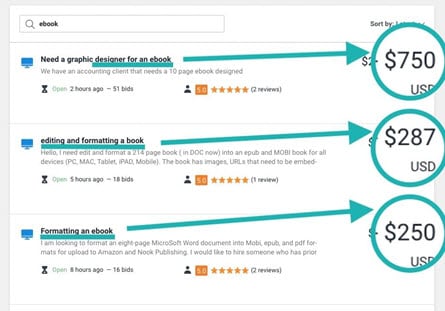
- Sell ebook services online in marketplaces like Freelancer.com, Upwork & Fiverr.
BONUS 2
FREE Marketing eBook
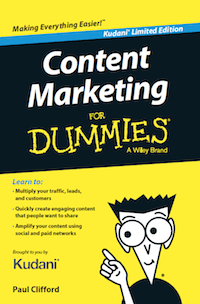
Get the digital edition of my book: Content Marketing For Dummies
This Book Outlines the PICASSO 5 Step Framework that Removes the Effort From Content Marketing. Whether your are a Brand, Small Business, Agency or Entrepreneur – This is for you!
How to get high quality, evergreen traffic without writing any content from scratch.
- Learn how to market your ebooks and your business online.
BONUS 3
FREE Facebook Community & Coaching
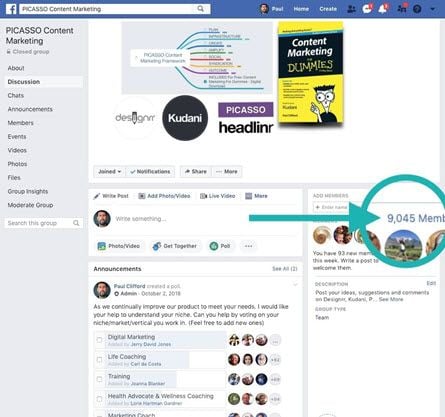
Get Peer support, experience and advice from our 9000 member strong community.
- Weekly Livestreams covering various coaching topics, software features and implementation guides.
- Free personalized training. Simply leave a message in the support chat.
Join over 140,000 customers using Designrr ebook creator
I have been using Designrr for about a month and produced dozens of topic specific ebooks for my counselling and coaching clients for my Mens Health improvement organization. They love them and are quite useful for cutting the clutter from hundreds of websites.

Stephen Bennett
EntrepreneurI use Designrr for all my Ebooks now. Much faster than InDesign and user-friendly too.

Maryle Malloy
EntrepreneurDesignrr made it ridiculously easy for us to create and then publish an e-book that looked great, was easy to read, and looked incredibly professional. The tools included allowed us to quickly pull in the information we needed and sort it in a way that made the book flow. Editing the content was just as easy! We were able to drop in our own media as needed throughout the book and make it really stand out. Designrr has been a critical part of our success!

Nelson Ruger
artofnelson.comDesignrr works for me like a virtual editor -- I give it content and it gives the content a professional look and feel. This removed between 30% to 50% of my workload so I am able to get ebooks to the market faster. VERY HAPPY I found this!!!

Tamara Ann Follett
EntrepreneurWe were able to 3x our revenue by adding transcriptions as an option to our content services. The perceived value for the client is huge and we could charge more. The secret is by using Designrr we are able to save so much time the extra work is almost nothing.

Josh Clifford
LVRGDesignrr has saved us so much time in our business. We like to create blog posts and then repurpose them as PDFs on several other websites. It has been great for SEO. Using Designrr we've managed to spread our content everywhere and it takes about 10% of the time that it used to. It's an integral part of our business now.

Matt Wolfe
Hustle & Flow PodcastThe guys behind this product have an amazing after sales customer care service. I was dubious until I took a chance and went with them. I am so glad I did!

Roger Daniel
Radio PresenterStart growing with DESIGNRR today
Ready to create your first ebook in under 2 minutes?
Want to Learn More?
Get Started Now