A content upgrade is a bonus piece of content tied to a specific blog post, offered in exchange for an email address. Think a checklist inside a how-to article, a calculator inside a pricing post, or a quiz inside a strategy guide. They convert at 5–15% of blog readers, while generic sidebar opt-ins limp along at 1–3%.
So why the gap? It’s relevance. Someone who reads your 1,500-word article on podcast launches has already raised their hand. Hand them a “Podcast Launch Checklist” right there, mid-article, and the offer feels like a gift, not an interruption.
There’s a catch though. Static PDFs still work, but interactive lead magnets like quizzes, calculators, and audits now convert about 2.4 times higher. Quiz funnels alone average a 40% conversion rate from quiz-start to email capture. If your strategy is still “PDF version of the blog post” for every article you publish, you’re leaving most of your conversions on the table.
This guide ranks the 15 formats that actually pull their weight right now. You’ll see what works, what to retire, and how to pick the right one for your next post.
Free Download: Want to see how to create a content upgrade from this blog post? Get the download instructions and video training right now.
What Is a Content Upgrade, Exactly?
Every content upgrade is a lead magnet. But not every lead magnet is a content upgrade.
The difference matters. A site-wide ebook offered on every page of your site is a lead magnet. A custom checklist offered only inside one specific post is a content upgrade. Same idea, but the second version converts way better because it meets your reader at peak intent.
Ask yourself this. When someone lands on your blog post about cold email, are they looking for a generic “Marketing Guide”? Or are they looking for the exact subject lines you used to book 50 sales calls last month? The answer is obvious. And that’s the whole game.
How Content Upgrade Formats Compare
Before we get into the list, here’s a quick snapshot of what you’re working with.
| Format | Typical conversion | Effort to build | Best for |
|---|---|---|---|
| Quizzes & assessments | 30–45% | Medium | Audience segmentation, B2C |
| Calculators & ROI tools | 25–40% | Medium-high | B2B, SaaS, services |
| Free audits | 25–35% | High | SEO, marketing, web tools |
| Checklists | 8–15% | Low | How-to articles |
| Templates | 10–20% | Low-medium | Technical, creative niches |
| Mini-challenges | 15–25% | Medium | Coaching, fitness, creators |
| Prompt libraries | 10–18% | Low | AI-adjacent audiences |
| Email courses | 8–14% | Medium | Pillar topics |
| Cheat sheets | 7–12% | Low | Reference-heavy topics |
| Swipe files | 10–15% | Low-medium | Copywriting, sales, ads |
| Short ebooks (10–25 pages) | 6–10% | Medium | Specific outcomes |
| Case studies | 8–14% | Medium | Proof-driven niches |
| Original research | 10–18% | High | Authority-building |
| PDF/audio version of post | 8–12% | Low | Long reference posts |
| Private community access | 5–10% | High | Niche, professional |
Now let’s break down each one.
The 15 Content Upgrade Formats That Work Right Now
1. Quizzes and Assessments
 Quizzes are the highest-converting format you can use today. Period.
Industry data tracking over 100 million quiz takers shows an average 40% conversion rate from quiz-start to email capture, with 65% completion. AI-adaptive quizzes — ones that change their questions based on your reader’s earlier answers — push that even higher. Beauty and wellness niches see 60%+ conversion. B2B services average around 38%.
Why do quizzes work so well? People love taking quizzes about themselves. There’s curiosity (“What’s my X type?”), there’s a personalized result at the end, and you get zero-party data your reader gladly hands over.
What makes a quiz title irresistible? It answers a question your audience already has about themselves. Things like “How loud is your food noise?” or “What’s your biggest growth bottleneck?” or “Which content strategy fits your brand?” Tools like Interact, ScoreApp, and Typeform make a quiz a one-afternoon job.
So here’s a question for you. What’s something your audience is already wondering about themselves that your expertise could answer?
2. Calculators and ROI Tools

Calculators win because they spit out a specific number for your reader’s specific situation. AI alone can’t easily replace that.
A “How much should you charge per hour?” calculator for freelancers. A “What’s your monthly ad-spend break-even?” tool for ecommerce. A “How much could marketing automation save you?” calculator for SaaS. Each one delivers a concrete answer your reader can’t get from skimming a generic article.
The bonus for B2B? Calculators reveal scale. When someone enters their team size, budget, or revenue to get their answer, you’ve just qualified the lead before sales ever picks up the phone.
3. Free Audits and Diagnostic Tools

A free audit is essentially a calculator that demonstrates your expertise.
Think automated SEO checkers, website-speed analyzers, or social-media bio reviewers. HubSpot’s Website Grader has captured tens of millions of leads with this exact pattern. You enter a URL, get a personalized score and a fix list, and hand over an email for the full report.
The format works because users see immediate value within seconds. The gated “deeper data” feels worth the trade. And because the audit measures something specific, the leads who opt in are already aware they have that problem.
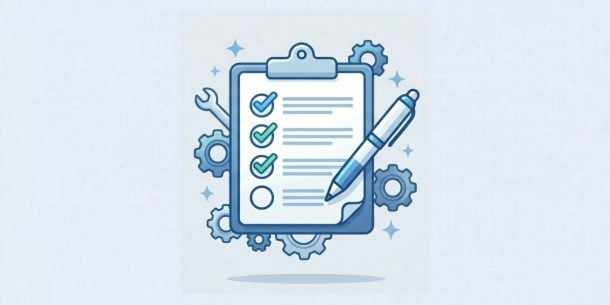
4. Checklists
Checklists never go out of style.
They turn your article advice into something readers can act on right away. Got a blog post on “10 SEO copywriting techniques”? Pair it with a one-page PDF checklist of those same 10 techniques.
Keep them tight. One page. Print-friendly. Use checkboxes. People genuinely enjoy ticking things off.
5. Templates Such as Notion, Google Docs, Figma, and Spreadsheets
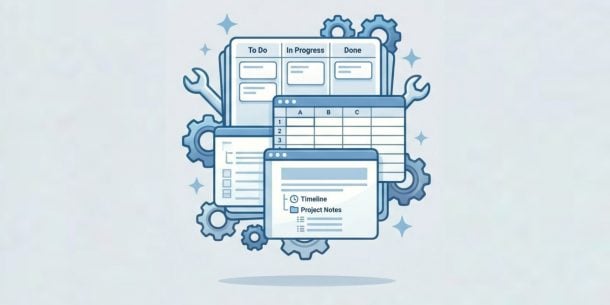
Templates save your reader hours of setup work. And that’s exactly the trade they’re happy to make.
A Notion template for content planning. A Google Sheets pricing model. A Figma wireframe kit. If you’re targeting technical or creative people, this is one of the highest-trust upgrades you can offer.
Notion templates have largely replaced raw Excel spreadsheets as the dominant format, especially for creators, knowledge workers, and small-team operators. Got a developer audience? A GitHub starter repo or boilerplate works the same way.
6. Mini-Challenges Over 3, 5, or 7 Days
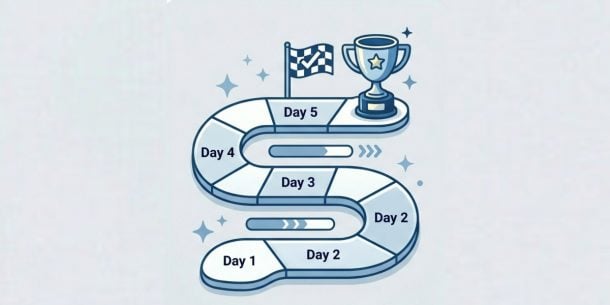
Mini-challenges are crushing it right now in coaching, fitness, education, and the creator economy.
The structure is simple.
- Reader opts in
- They get one short lesson per day
- They take one small action each day
- They finish with a small win
Completion rates run 60–80% when you deliver on a channel they already use — WhatsApp for fitness, email for B2B, Discord for creators.
Why do they work? Because they promise a concrete outcome in a defined window. “In 3 days, you’ll have your first 100 newsletter subscribers” beats “Learn about newsletters” every single time.
7. AI Prompt Libraries and Prompt Packs

This is a genuinely new format. And it works.
A curated pack of 50 ChatGPT prompts for cold email. 30 Claude prompts for blog outlines. 100 Midjourney style prompts for product photography. High perceived value, low production cost, and obviously useful to anyone whose work touches AI tools.
Your reader has tried to write prompts on their own. They know it’s harder than it looks. A curated, tested set is a real shortcut, and they’ll trade an email for it.
8. Email Courses

A 5–7 day email course pulls double duty.
It captures the lead, but it also builds the relationship. Each day delivers one focused lesson. Your subscriber learns to open your emails. You get multiple touch points to demonstrate expertise. And you end with a natural pitch toward your paid offer.
Pair them with long pillar articles where the topic is too big for a single post. The course structure forces you to break complex material into bite-sized lessons, which means more people actually finish it.
9. Cheat Sheets and One-Page Reference Guides

A cheat sheet packs complex knowledge into something you can glance at and use.
Regex cheat sheets for developers. Keyboard-shortcut posters for designers. A one-page CSS-grid reference. They convert because you’ve positioned yourself as the curator of stuff your reader needs every single day.
There’s a bonus too. Cheat sheets travel. They get printed, shared, pinned to monitors. Every download has a small organic-amplification effect built in.
10. Swipe Files

Swipe files give your reader plug-and-play assets they can use today.
Cold email scripts. Ad copy templates. Sales-call openers. Landing-page hero sections. They convert because they save your reader from a blank page. They also prove, without saying so, that you’ve already done the work they’re trying to do.
A “100 cold email subject lines that got replies” swipe file beats a 5,000-word theory article. Your reader can paste, adapt, and send today. That’s the value.
11. Short, Focused Ebooks of 10 to 25 Pages With One Specific Outcome

Long generic ebooks have lost their punch. Short specific ones still work.
There’s been a shift. “The Ultimate Guide to Email Marketing” at 50+ pages? Broad, easy for AI to replicate, and probably never finished by your reader. “How to Write Welcome Sequences That Sell for Course Creators” at 15 pages? Narrow, opinionated, and actually useful.
Want to write an ebook? Narrow the topic until it solves one problem for one specific audience. The shorter, more specific version converts better and gets read.
Find out more about how easy, fun and effective Designrr can be when you start your free trial today!
Download Instructions and Video Training on How to Create a Content Upgrade From this Post
12. Case Studies and Behind-the-Scenes Breakdowns

Case studies convert because they prove you’ve done the thing.
“How we grew this newsletter from 0 to 10,000 subscribers in 90 days” with real screenshots, real numbers, and the actual sequence of decisions you made? That beats any general guide on newsletter growth.
Behind-the-scenes breakdowns work the same way. They show the work that gets hidden inside polished marketing content. Concept drafts. Abandoned ideas. Internal docs. Process Loom videos. The mess is what makes them valuable.
13. Reports and Original Research

Original research is one of the few formats AI cannot replicate. That makes it your moat.
Why? Because it requires actual human work. You surveyed people. You ran an experiment. You analyzed proprietary data. A “State of [Your Industry] 2026” report based on a 500-person survey is gold. It earns backlinks, gets cited by other writers, and positions your brand as the source.
It’s the highest-effort format on this list. It’s also the most defensible long-term, since Google and AI search both reward genuine expertise.
14. PDF or Audio Version of the Post

The PDF version of a popular blog post still pulls its weight, especially for long, reference-heavy articles your readers want to save for later. Tools like Designrr will turn a blog URL into a designed PDF in a few minutes. RazorSocial famously hit a 44% conversion rate with this format on one of their most popular posts.
Want the modern twist? The audio version. With around 158 million Americans who listen to podcasts monthly, audio isn’t niche anymore. Tools like ElevenLabs produce listenable narration of any article, and offering “Listen to this post” as your upgrade picks up readers who’d rather consume on a commute or a walk.
15. Private Community Access

A private Slack, Discord, Circle, or Substack-chat used to be a stretch goal. Now it’s a viable lead magnet on its own.
Why does it work? Because it offers something AI literally cannot. Other humans. People to talk to, network with, and learn from. It also has insane retention — once someone joins a community, they tend to stay, which means the email you captured is a long-term asset.
Use this when your audience is professional, niche, or feels underserved by existing communities. The barrier is lower than running a paid community because the only cost of entry is an email.
Formats You Should Retire or Rework
Some classic formats just don’t pull their weight anymore. Here’s what to cut from your strategy.
- Generic stock photo packs and infographic giveaways. AI image generators produce custom visuals on demand, so the appeal has faded.
- Long, broad ebooks. “The Ultimate Guide to Marketing” types lose to AI overviews and feel replaceable.
- Generic webinar recordings. Without specificity, they look low-value next to a live workshop or a tight 10-minute Loom.
- Plain “subscribe for updates” opt-ins. They only work when your newsletter has a clear, specific value proposition baked in.
Does your current upgrade catalog still lean on these? That’s where to focus your rebuild.
How to Pick the Right Upgrade for Each Post
The format follows the post. That’s the rule.
A how-to article wants a checklist or template. A strategy article wants a framework or worksheet. A pricing or ROI article wants a calculator. A “best tools for X” roundup wants a comparison spreadsheet. A long pillar guide wants either a PDF version or a multi-part email course.
So before you build anything, look at your top five most-trafficked blog posts. For each one, ask yourself three questions.
- What action would my reader take next?
- What tool or asset would help them take it?
- Can I personalize the output to their specific situation?
That third question is what separates a 5% upgrade from a 25% upgrade. Personalization is the lever.
A few practical rules to keep handy. Match the upgrade to the post’s intent, not your product roadmap. Keep your opt-in form to one field — just email — because every extra field drops conversion. Place the opt-in inline within the article around the 30–50% scroll point where engagement peaks, plus a closing CTA. And refresh your upgrade every 12–18 months. Outdated screenshots and stale data quietly kill conversion.
Your Turn
Which post on your site has the most traffic right now? And what’s the one tool, template, or quiz that would help your readers actually use what they just read?
Pick that post. Build that upgrade. Test it for 30 days. That’s how you start to grow your list faster, this week, with what you already have.
Frequently Asked Questions About Content Upgrades
Get answers to the most common questions about creating high-converting content upgrades for your blog
Do content upgrades still work?
Yes. The formats have shifted, but the strategy hasn’t. Static PDFs convert in the 3–10% range. Interactive formats like quizzes, calculators, audits, and AI-personalized outputs convert in the 20–40% range when designed well. They’re still the single highest-converting list-building tactic available to most blogs.
What’s the difference between a content upgrade and a lead magnet?
A lead magnet is any free asset offered for contact info. A content upgrade is a lead magnet tied to one specific piece of content rather than offered site-wide. Content upgrades convert better because they match your reader’s immediate intent at the moment they’re most engaged with your topic.
What’s the best content upgrade format for beginners?
A checklist tied to your most-trafficked how-to article. Lowest production cost, takes you one or two hours to build, and converts reliably. Once that’s working, you can expand into templates and quizzes. Start simple and add complexity only when your baseline upgrade is proven.
How long should a content upgrade be?
Shorter than you think. A one-page checklist often outperforms a 30-page ebook because your reader can use it right away. The rule of thumb is that the asset should deliver its core value in under 10 minutes. Specificity beats length every single time.
Do I need a tool to create content upgrades?
It depends on the format. For checklists, templates, and PDFs, free tools like Canva, Google Docs, and Notion are enough. For interactive formats, Interact and ScoreApp handle quizzes, Outgrow handles calculators, and Kit, ConvertKit, or Beehiiv handle email courses. For PDF conversion of existing blog posts, tools like Designrr automate the design step.
How often should I update existing content upgrades?
Refresh evergreen lead magnets every 12–18 months. Anything time-sensitive, such as statistics, screenshots, or pricing, needs quarterly updates. Stale assets visibly hurt conversion. Outdated screenshots and old data signal to readers that your advice may no longer be reliable.
What conversion rate should I expect?
For a static PDF or checklist, 3–10% of post readers is normal. For interactive formats like quizzes or calculators, 20–40% is realistic. Anything above 25% on a static asset is excellent and probably means your post and upgrade are unusually well-matched to reader intent.
Which content upgrade format converts the highest right now?
Quizzes and assessments lead the pack, averaging around 40% conversion from quiz-start to email capture, with 65% completion rates. AI-adaptive quizzes that change their questions based on earlier answers push that even higher. Calculators and free audits follow closely behind, especially for B2B and SaaS audiences.
Where should I place the content upgrade opt-in within my blog post?
Place the opt-in inline within the article around the 30–50% scroll point where engagement peaks, plus a closing CTA at the end of the post. Keep your form to one field, just email, because every extra field drops conversion. Match the upgrade to the post’s intent, not your product roadmap.
Which content upgrade formats should I retire?
Cut generic stock photo packs and infographic giveaways since AI image generators produce custom visuals on demand. Long, broad ebooks like “The Ultimate Guide to Marketing” lose to AI overviews. Generic webinar recordings without specificity look low-value, and plain “subscribe for updates” opt-ins only work when your newsletter has a clear, specific value proposition baked in.