Your email list returns $36 for every $1 you spend on it. That’s the number Litmus pulled from a survey of nearly 500 marketing professionals. No other channel comes close.
So the real question isn’t whether email works.
It’s how to make your list bigger, faster, without doing the things that quietly tank deliverability and burn out your audience.
This guide gives you 25 tactics that actually work today. Some are free. Some cost a little. A few take a weekend. None of them require you to buy a list or trick anyone into subscribing.
Before we get into the tactics, a quick note on the numbers you’ll see. The old “4,300% email ROI” claim you’ve probably read a hundred times? It comes from a 2008 DMA report. The “91% of people check email daily” stat?
That one’s from 2015. Both got recycled into thousands of blog posts, and most of them never bothered to check whether the numbers still held up. We did. Everything in this article links to its primary source. If we couldn’t verify a stat, we cut it.
Ready? Let’s grow your list.
What Does “Growing Your Email List” Actually Mean in 2026?
Growing your list isn’t about adding more email addresses. It’s about adding more engaged subscribers. Those are two very different things.
The metric that matters is your net list growth rate: new subscribers, minus unsubscribes and bounces, divided by your total list size. Aim for 2.5–5% per month. Anything under 1% means your acquisition is barely keeping pace with churn, and a list that isn’t growing is shrinking.
Two big shifts happened in the last two years that you need to know about.
The first is Apple Mail Privacy Protection. It pre-loads images on emails whether the recipient opens them or not, which inflates your open rates by 10–15 percentage points. So when you see a 42% open rate benchmark? That number is directional, not literal. Click-to-Open Rate and Click-Through Rate are the metrics you should actually trust now.
The second shift is Google and Yahoo’s 2024 bulk-sender requirements. Authentication (SPF, DKIM, DMARC), one-click unsubscribe, low spam complaint rates — these aren’t optional anymore. If you’ve been wondering why your emails keep getting flagged as spam, this is usually where it starts. Buying a list used to be a bad idea. Now it’s a deliverability death sentence.
Got it? Good. Let’s get tactical.
The 25 Ways to Grow Your Email List
Twenty-five is a lot. Don’t try to do all of them. Pick three you can ship in the next 30 days, measure what happens, and double down on what works. That’s it.
We’ve grouped them into five buckets so it’s easier to find what fits your situation:
- Lead magnets that actually convert (tactics 1–5)
- On-site capture (tactics 6–10)
- Social and creator tactics (tactics 11–16)
- Network effects and referrals (tactics 17–20)
- Conversion and authority plays (tactics 21–25)
Lead Magnets That Actually Convert
1. Publish a High-Value, Niche Lead Magnet
Want to know why your current lead magnet isn’t converting? It’s probably too generic.
“Marketing tips” gets ignored. “The 7-Email Cart Abandonment Sequence That Recovers 19% of Lost Sales for Shopify Stores” gets opted into. See the difference?
Four rules for a lead magnet that converts:
- Solve one specific problem
- Make it consumable in under 10 minutes
- Name a specific audience in the title
- Make it good enough that someone would pay for it
A five-page actionable guide beats a fifty-page generic eBook every time. If you want to go deeper on what makes lead magnets actually work, our ultimate guide to lead magnets covers strategy, examples, and the full creation process. Most marketers get the strategy part right. They get stuck on production.
Designing a polished PDF in Canva eats a day or two. Hiring a designer? Two hundred to five hundred bucks per asset. So most people ship one lead magnet a year, when they should be shipping one a month. That’s the real bottleneck.
This is where Designrr fits in. Paste your blog URL into the Import from Blog Post field, pick a template like Plain Vanilla, and you can create an ebook in 2 minutes. No blog post yet? Wordgenie AI generates a full eBook from a keyword and target audience — title, outline, draft content, all of it.
2. Add a Content Upgrade to Every Blog Post
A content upgrade is a lead magnet built for one specific blog post. The checklist version of a how-to. The swipe file version of an email teardown. The printable PDF of a long article. Need inspiration? Here are 15 content upgrade examples that grow email lists faster.
Do they work? Brian Dean of Backlinko reported a 785% increase in conversions on a single post after switching from a sidebar opt-in to a content upgrade tied to that article’s topic. The offer matched what the reader was already engaged with. That’s the whole trick.
Here’s the objection you’re probably about to make: “I’d need a different lead magnet for every post. That’s 200 PDFs.”
Yep. And that’s exactly why most marketers never do it.
But what if you could turn a blog post into a designed PDF in ten minutes? Once you can turn your blog posts into an ebook that quickly, a post-specific upgrade for your top 20 posts becomes a weekend project, not a quarterly initiative. That’s the whole reason Designrr’s Import from Blog Post feature exists.
Sign up for Designrr’s special offer today!
3. Build a Quiz Funnel
Quizzes convert higher than any other lead magnet format. Around 40%, according to Interact’s 2026 Quiz Conversion Rate Report, which has analyzed more than 80 million leads generated through their platform since 2013.
Why so high? Because taking a quiz feels like a game, not a transaction. People don’t realize they’re filling out a lead form until they’re already invested. And the “results” you deliver via email feel personal, because they actually are. (If you want to understand what makes a high-converting lead magnet tick at this level, the psychology is the same whether it’s a quiz, a PDF, or a webinar.)
There’s a second benefit nobody talks about. Quizzes segment your list at the moment of opt-in. Someone who scores “beginner” enters one welcome sequence. Someone who scores “advanced” enters another. Segmentation at signup is worth way more than segmentation after the fact.
Tools to look at: Interact, ScoreApp, Outgrow, Typeform.
4. Gate an Interactive Tool or Calculator

If quizzes are the highest-converting format, calculators are right behind them.
Brixon Group’s 2025 B2B lead magnet analysis pulled data from the HubSpot State of Marketing Report and the Demand Gen Report. Here’s how the formats stacked up:
| Format | Avg Conversion Rate |
|---|---|
| Interactive calculator | 8.3% |
| Interactive assessment tool | 6.2% |
| Free trial / demo | 5.7% |
| Webinar / video content | 4.1% |
| Classic gated PDF | 3.8% |
Calculators convert at more than double the rate of static PDFs. Think HubSpot’s Website Grader. An ROI calculator. A pricing estimator. A readability checker. The trick is to gate the result, not the entry. Once someone fills in the inputs, they’re invested enough to give you their email for the answer.
A quick note on terminology: if you’re now wondering whether you should build a content upgrade or a calculator (or both), we wrote a whole breakdown on lead magnets vs content upgrades that walks through when to use each.
This one needs a developer. But if you can ship even a simple version for your niche, it’ll outperform almost everything else on this list.
5. Repurpose Your Back Catalog as Audio Lead Magnets

How many blog posts do you have just sitting there? Fifty? Two hundred? More?
That’s a lead magnet goldmine, and most marketers never touch it. Bundle your top 10 posts on a single topic into one eBook. Gate it. Done. Then go one step further: create an audio version for the people who’d rather listen than read.
If you’ve got a podcast, the same logic applies — you can repurpose podcast episodes into bundled eBooks, audio compilations, or both. Designrr’s Audiobook feature handles the audio side. AI narration, multi-voice on Premium, adjustable speed and pitch. A 50-page guide turns into a 90-minute audiobook in a few clicks. You doubled the perceived value without doubling the work.
On-Site Capture
6. Add an Exit-Intent Popup
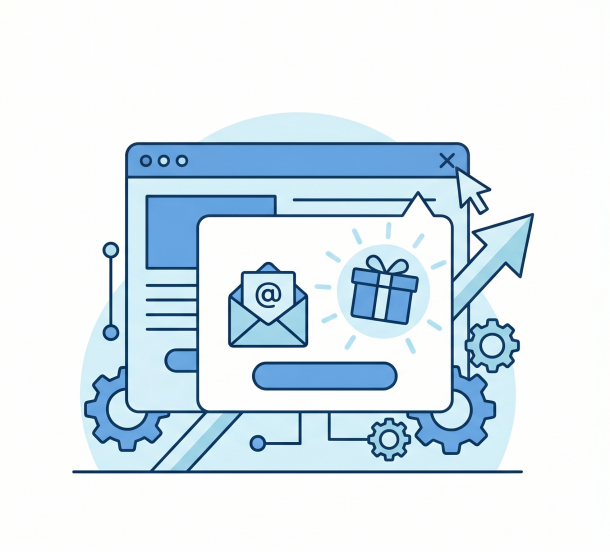
Exit-intent popups fire the moment someone’s mouse heads for the close tab. They’ve already decided to leave. You’ve got one last chance.
Do they work? Mailchimp’s own research found that adding a pop-up form to your site lifts list growth by an average of 50.8%. That’s a big number for something you can implement in an afternoon.
One catch. The offer has to be good. A relevant lead magnet beats a generic “Subscribe to our newsletter!” by a wide margin. So before you turn the popup on, make sure the thing behind it is actually worth giving up an email for. (If you want to go deeper on this side of the funnel, we’ve got four hacks to increase your opt-in conversion rate by up to 15x.)
7. Use a Multi-Step (Two-Click) Opt-In
Ever started something you didn’t really want to finish, just because you started it? That’s the Zeigarnik effect. And it’s why two-step opt-ins outperform one-step forms.
Here’s how it works. Instead of showing your popup with an email field right there, show it with a button first: “Yes, I want the guide.” Click. Then the email field appears. That first click creates a small psychological commitment, and conversion rates jump.
OptinMonster, ConvertBox, and Sleeknote all support two-step flows out of the box. If you’re on WordPress, our roundup of the best WordPress popup plugins covers free and paid options. Takes about five minutes to set up.
8. Build a Dedicated Signup Landing Page
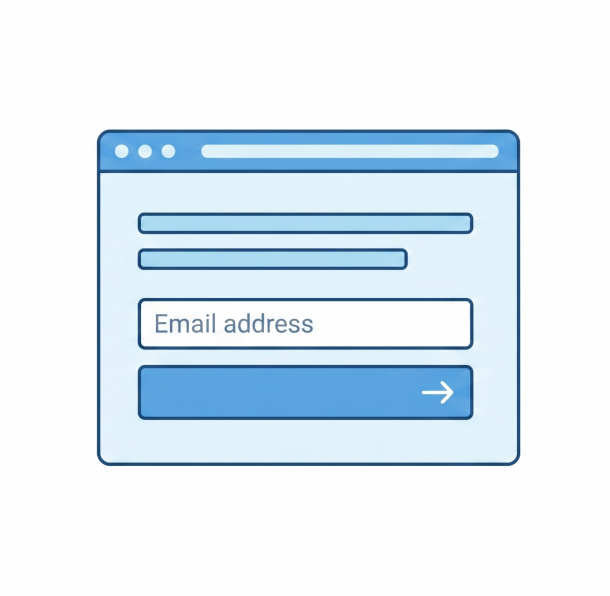
A landing page strips everything else away. No navigation, no sidebar, no related posts. Just one headline, one offer, one form.
The trick is matching the page to a specific traffic source. Your Twitter bio link shouldn’t send people to your homepage — it should send them to a page that says “Hey, you came from Twitter. Here’s what I wrote for you specifically.” That kind of match converts way better than a generic landing page.
Carrd, Beacons, Webflow, your existing site builder — any of these work. If you need a fuller comparison, here’s our list of the best landing page builders. Just don’t skip the step of building the page in the first place.
9. Add Embedded Forms in Five+ Locations Per Page
If you’ve only got one signup form on your site, you’re leaving subscribers on the table. The minimum:
- Header bar
- Sidebar
- Mid-content, right after the first H2
- End of post
- Footer
One ask per scroll-region. Don’t stack an aggressive popup and an embedded form on the same screen — that’s just annoying.
10. Run a Floating Sticky Bar
A thin bar at the top or bottom of the screen that stays visible while you scroll. Less aggressive than a popup, more visible than a sidebar form.
It won’t convert as high as an exit-intent popup, but the friction is low and it never goes away. Think of it as the always-on baseline, sitting underneath your more targeted popups. Hello Bar, Sumo, OptinMonster — pick one, run one bar, move on.
Social and Creator Tactics
11. Run Instagram Comment-to-DM Funnels
If you ignore one tactic in this entire article, don’t let it be this one.
Here’s the play. You post a Reel. You ask viewers to comment a keyword — something like “PDF” or “GUIDE.” ManyChat watches for that comment. The moment it appears, ManyChat auto-DMs the person, asks for their email, and delivers the lead magnet.
The numbers are wild. Unkoa’s 2025 analysis of Instagram DM automation reports ManyChat funnels hitting 80–100% open rates and up to 28% click-through rates. Compare that to email’s 2–3% click rate.
There’s a hidden bonus too. Instagram’s algorithm rewards posts with high comment counts. So every “GUIDE” comment boosts your post’s reach, which boosts your funnel volume, which boosts your reach again. It’s a flywheel. (This is one of the most underused plays in social media lead generation right now.)
But you still need the lead magnet itself. ManyChat handles delivery. You handle the asset. That’s where Designrr fits.
12. Use TikTok and Reels With Link-in-Bio Tools
Stan Store, Beacons, and Linktree turn one bio link into a mini landing page. Multiple offers, one tap, everything organized.
Short-form video drives discovery. Your bio link converts that discovery into subscribers. Two things to remember:
- Give a clear, specific CTA in every video (“free guide in my bio,” not “follow for more tips”)
- Update the top link on your bio page to match whatever lead magnet you’re pushing this month
13. Put a CTA in Every YouTube Description
YouTube descriptions are the most underused real estate on the internet for list growth. They’re free. They’re permanent. They sit on every video forever.
Pin a comment with the same link. Use a card overlay. End-screen your lead magnet. Each individual video might only send you a handful of subscribers, but stack 100 videos over a year and the compound effect is significant. Bonus play: turn your YouTube content into an ebook and use that as the lead magnet you’re driving people to from the description. One asset, two channels.
14. Cross-Promote Your LinkedIn Newsletter
LinkedIn’s native newsletter shows your subscriber count publicly. That’s social proof you can use elsewhere. And every new LinkedIn newsletter subscriber is a person you can convert into an email list subscriber too.
Justin Welsh built a $5M+ business with his Saturday Solopreneur newsletter, now at 200,000+ subscribers, using LinkedIn as his primary distribution channel. The two-list strategy — LinkedIn newsletter for top-of-funnel, email list for monetization — works.
15. Use Pinterest as an Evergreen List-Builder
Pinterest isn’t social media. It’s a search engine that looks like a mood board. And that distinction changes everything about how you use it for list growth.
A well-optimized pin can drive traffic for years. So link your pins to lead magnet landing pages, not blog posts. Best for B2C, design, food, finance, and DIY niches — anywhere visual discovery drives strong intent.
16. Pitch Yourself for Podcast Guest Appearances
Ask any creator with a six-figure list what their highest-quality traffic source is. Most of them will say the same thing: podcast guest spots.
Why? Because every interview ends the same way. “Where can people find you?” If your answer is “follow me on Twitter,” you’ve blown it. If your answer is “go to [your domain]/[podcast-name] for the free guide we mentioned,” you’ve just built a conversion machine.
A few things to get right:
- Build a podcast-specific landing page that references the host by name
- Offer a lead magnet tied to the episode topic, not your generic newsletter signup
- Pitch shows where your ideal customer actually listens, not just the biggest shows
Conversion rates of 10–25% on this traffic are realistic. That’s not a typo. (If you’re on the other side of the mic too, here’s how to grow your podcast audience so your own show becomes a list-growth channel.)
Network Effects and Referrals
17. Join a Newsletter Referral Network
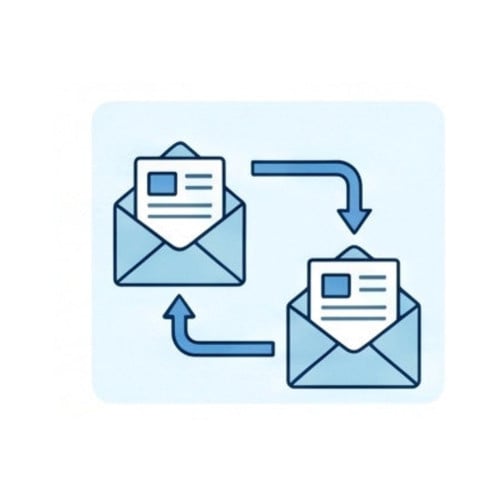
This might be the single fastest list-growth tactic available right now, and most marketers haven’t tried it yet.
SparkLoop, Beehiiv Boosts, and Substack Recommendations let other newsletters recommend yours at the moment new subscribers sign up — and you recommend theirs back. Substack revealed in 2025 that 40% of all new subscriptions on the platform now come from inside the Substack network, not from external traffic.
Forty percent. From recommendations alone.
SparkLoop’s paid model takes this further. You pay $1–3 per subscriber from partner newsletters. That’s dramatically cheaper than paid ads, and the subscribers are higher quality because they already trust the newsletter that recommended you.
18. Add a Refer-a-Friend Program
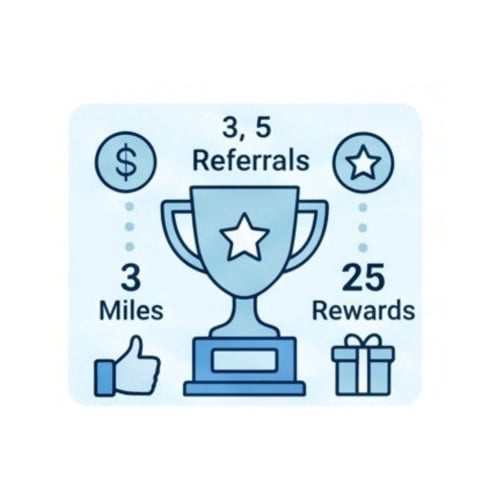
Morning Brew built a 4-million-subscriber list largely through a milestone-based referral program. It works like this:
- 3 referrals → premium Sunday edition
- 5 referrals → stickers
- 25 referrals → hoodie
- 100 referrals → VIP event access
Each tier feels achievable from the one before it. That’s the psychology. Your readers turn into your acquisition channel. (Still not sold on the case for putting this kind of work into list growth? Here’s why you should build an email list in the first place.)
You don’t need to build this from scratch. SparkLoop Upscribe and KickoffLabs plug into Beehiiv, Kit, and Mailchimp without custom code.
19. Run Co-Marketing Partnerships
Find a creator with a list roughly your size who isn’t a direct competitor. Promote each other’s lead magnets to each other’s lists. Cost: zero.
The hard part isn’t finding the partner. It’s having a lead magnet polished enough that you’d be proud to send it to someone else’s audience. Which is why having a multi-format asset matters here. Designrr exports the same source file to PDF, Kindle ePub, interactive flipbook, and audiobook — so when a partner asks “do you have a flipbook version we can embed?”, you’ve already got one.
20. Use a Content Syndication Network
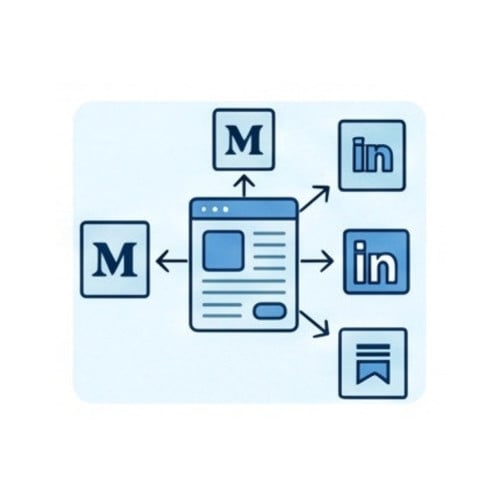
Medium, LinkedIn, Substack, niche aggregators like Indie Hackers and Hacker News — these platforms let you republish your content with a clear newsletter CTA at the bottom.
The trade-off? Your content lives on their platform. You don’t fully own the SEO. But you do keep the email capture, and you reach audiences who’d never visit your site directly. Use canonical tags to avoid duplicate-content penalties, and pick syndication platforms where your audience actually hangs out.
Conversion and Authority Plays
21. Optimize Your Welcome Series
If you only have one email automation set up, make it your welcome series. The data is wild.
GetResponse’s 2024 Email Marketing Benchmarks report found welcome emails average an 83.63% open rate and 16.60% click-through rate. That’s the highest engagement you’ll ever get from any email type, ever.
Most marketers waste this with a single “Thanks for subscribing!” email and call it a day. Don’t do that. Here’s a 5-email sequence that actually works:
- Deliver the lead magnet (immediately)
- Tell your origin story (day 2)
- Ask a segmentation question (day 4)
- Give away your best piece of content (day 6)
- Make one soft offer (day 9)
Spend real time on your email subject lines for this sequence — they’re the lever that decides whether the rest of the email matters. A welcome series doesn’t grow your list directly. It does something arguably more important: it keeps the subscribers you just earned from leaving in week one.
22. Run Gated Webinars and Evergreen Workshops
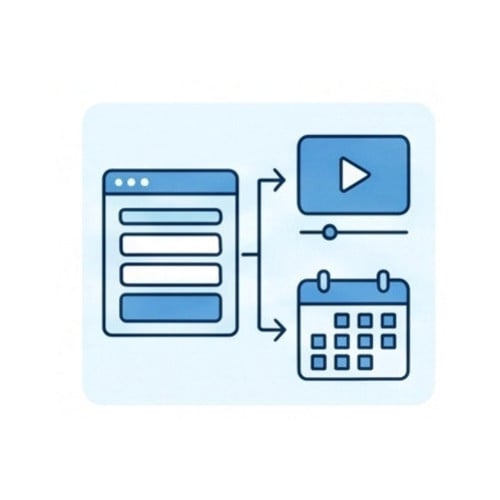
Webinar registration is one of the highest-converting forms of opt-in for high-ticket offers. Live works. Evergreen works too — pre-recorded webinars on Demio, EverWebinar, or WebinarJam run on autopilot 24/7. If you’ve never run one, here’s how to plan a webinar that actually converts.
Quick tip that doubles your conversions: bundle the webinar slides as a downloadable PDF and offer them to attendees. That’s two opt-ins from one event. Designrr handles the slide bundling in a few clicks.
23. Use Your Email Signature
How many emails do you send personally each day? Twenty? Fifty? More?
Every single one is a list-growth opportunity you’re probably not using. Add a clickable banner to your email signature: “Get the free guide” + link. WiseStamp and HubSpot both have free tools that do this in two minutes.
If you send 50 emails a day, that’s 18,000 impressions a year. For free. Just sitting there.
24. Add SMS-to-Email Handoff
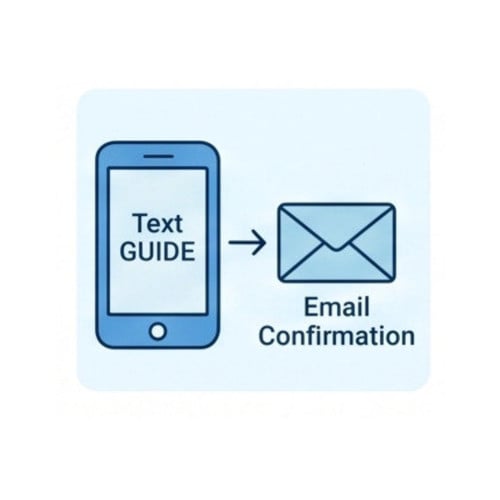
In some niches — especially e-commerce, coaching, and live events — SMS opt-ins convert higher than email opt-ins. “Text GUIDE to 555-1234” feels lower-friction than typing an email address on a phone screen.
Postscript, Klaviyo SMS, and Attentive let you collect both an email and a phone number in one flow. So you’re not choosing between SMS and email. You’re collecting both.
25. Run a “Best Of” Nomination or Voting Campaign

“Vote for your favorite [niche] tool of 2026.” Three things happen at once:
- Nominees promote the campaign to their lists (you get cross-promotion)
- Voters give you their email to vote (you get subscribers)
- Winners put a badge on their site (you get backlinks and more cross-promotion)
Wirecutter, G2, and Capterra all run versions of this at scale. Independent newsletter operators run smaller versions every year. It’s one campaign with three growth mechanics built in.
How Do You Actually Build and Deliver These Lead Magnets?
Most lead magnet advice stops at “create one.” But creation is just the first layer. The full stack has four:
- Creation — making the asset
- Capture — the popup or form that gets the email
- Delivery — your ESP sends the asset and follows up
- Cross-promotion — referral and partnership tools that scale it
You need one tool per layer. Here’s an honest take on each.
Creation is where most marketers stall. You’ve probably tried one of these paths:
- Canva. Great for one-off graphics. Not built for multi-format publishing — you can’t export the same file to Kindle ePub or interactive flipbook.
- ChatGPT or Claude + manual layout. The AI writes, you format. Expect 4–8 hours of layout work per lead magnet, every time.
- Designrr. Handles creation as a workflow, not a design task. Import any blog URL, Google Doc, Word file, PDF, podcast, or YouTube video. Clean it up with the AI-Enhanced Editor. Pick a template. Toggle Make Changes To All Elements. Publish to PDF, Kindle, Flipbook, Audiobook, or Live eBook.
If you want to see how Designrr stacks up against other tools in this space, here’s our breakdown of the best lead magnet creator tools with the trade-offs spelled out.
One thing Designrr can’t do, just so you know: it can’t import image-based PDFs (scanned documents, Canva exports, anything that’s basically a picture of text). You’ll need to OCR those first.
For capture, pick one: OptinMonster, ConvertBox, Sumo, or your ESP’s built-in forms. Just pick one.
For delivery, your ESP options come down to Kit (formerly ConvertKit), Beehiiv, Mailchimp, or Klaviyo. Beehiiv has the strongest momentum for creators right now because it bundles delivery and referral network in a single tool. If you’re still picking, our roundup of the best email marketing software walks through what each one does well.
For cross-promotion, see tactic 17 above. SparkLoop, Beehiiv Boosts, Substack Recommendations.
Build this stack once. Use it for years.
Compliance and Deliverability You Can’t Ignore
Three things will quietly kill your list growth if you ignore them. Let’s go through them quickly.
The legal piece. GDPR (EU), CAN-SPAM (US), CASL (Canada) — and the equivalent laws in Australia, the UK, and Brazil — all require explicit consent, a clear unsubscribe link, and an accurate sender identity. Double opt-in is required in some jurisdictions and recommended everywhere. It cuts spam complaints roughly in half.
The technical piece. Google and Yahoo’s 2024 bulk-sender requirements made SPF, DKIM, and DMARC authentication mandatory for anyone sending more than 5,000 emails a day to Gmail or Yahoo addresses. One-click unsubscribe is required too. Your ESP probably handles all this for you. But verify it. (Once your deliverability is solid, the next thing to look at is engagement — here’s why your subscribers aren’t reading your emails even when they land in the inbox.)
The “never do this” piece. Don’t buy a list. Ever. The math always looks tempting — “10,000 emails for $200, that’s basically nothing!” — but bought lists destroy your sender reputation, get you blacklisted, and tank deliverability for the subscribers you actually earned. Every major ESP will drop you if you keep importing purchased data. Just don’t.
What If You Don’t Have a Website or a Budget?
Good news. You don’t need either to get started.
Substack, Beehiiv, and Kit all offer free hosted landing pages. Your subscribe URL becomes something like yourname.substack.com — no domain, no hosting, no website builder required.
The highest-ROI free moves if you’re starting from zero:
- Instagram comment-to-DM funnel using ManyChat’s free tier (up to 1,000 contacts)
- Beehiiv free account with referral program enabled
- Podcast guest appearances (free to pitch, free traffic when you land them)
- A simple one-page Carrd or Beacons landing page (free tier available)
Already running a WordPress site? Our roundup of list building plugins for WordPress covers the free options that handle popups, forms, and exit-intent without paid tools.
You still need a lead magnet. Designrr’s 7-day free trial covers the creation step at zero cost — long enough to ship two or three lead magnets and find out which ones actually convert before you commit to a plan.
How Do You Measure Email List Growth?
Track four numbers monthly. That’s it. Don’t drown in metrics.
- Net list growth rate. New subscribers minus unsubscribes and bounces, divided by total list. Target: 2.5%+ per month.
- List churn. Typically 22–30% annually. Higher than that means deliverability problems or audience-offer mismatch.
- Click-to-Open Rate. This is the post-MPP replacement for open rate as your engagement signal.
- Unsubscribe rate. Above 0.3% per send is a warning. Above 0.5% means you’re emailing too often or to the wrong audience.
Zoom in on each lead magnet separately too. Our guide to lead magnet metrics walks through opt-in rate, completion rate, and downstream revenue per subscriber.
One more thing. Tag every signup form with a UTM parameter. You want to know exactly where each new subscriber came from — Instagram, your blog, a guest post, a partner promo. You can’t double down on what you can’t measure.
Frequently Asked Questions About Growing Your Email List
Get answers to the most common questions about building, scaling, and protecting your email list in 2026
How do I grow my email list fast?
The fastest paths today are paid newsletter referral networks like SparkLoop and Beehiiv Boosts at $1–3 per subscriber, Instagram comment-to-DM funnels via ManyChat, and content upgrades on your highest-traffic blog posts. Expect 100–500 new subscribers per month from any one of these if you run them consistently.
How can I get my first 1,000 email subscribers?
Ship one targeted lead magnet, then add it to an exit-intent popup and a dedicated landing page. Drive traffic three ways: a content upgrade on your top 5 blog posts, three podcast guest appearances, and one paid SparkLoop campaign. Ninety days to 1,000 subscribers is realistic if you actually do the work.
Is it legal to buy an email list?
Technically, in some jurisdictions it is — but buying a list violates GDPR, most ESP terms of service, and Google and Yahoo’s 2024 sender requirements. Bought lists destroy deliverability and get you blacklisted. The legal answer is “maybe.” The smart answer is “no.”
What is a good email list growth rate?
Healthy lists grow 2.5–5% per month, net of unsubscribes and bounces. Anything under 1% means your acquisition is barely keeping pace with churn, which means your list is effectively shrinking. Track this monthly and treat it as your single most important list-health metric.
What is the best lead magnet to grow an email list?
Quizzes convert highest at around 40%, interactive calculators come in at 8.3%, and webinars at 4.1%. The best format depends on what your audience wants and what you can produce consistently — quizzes if you can build them, eBooks if you can write them, calculators if you can ship the development work.
How often should I email my list?
Once a week is the safe default. Twice a week works for established creators with high engagement. More than three a week without proven engagement causes unsubscribes to spike. Test cadence by cohort, not by gut feeling, and watch your unsubscribe rate as you scale up frequency.
Is email marketing still worth it in 2026?
Yes. Email returns $36 for every $1 spent, and it’s the only owned audience channel that doesn’t depend on someone else’s algorithm. With 4.59 billion email users today and a projected 4.85 billion by 2027 per Statista data, your audience is still growing — and you don’t have to worry about a platform change wiping out your reach overnight.
How do I grow an email list from scratch with no website?
Use a hosted landing page on Substack, Beehiiv, or Kit — they’re all free. Drive traffic through Instagram comment-to-DM funnels, podcast guest spots, and short-form video on TikTok or Reels. You can build a 5,000-subscriber list in 12 months with no website if you’re consistent on one platform and have a solid lead magnet to offer.
Can I use AI to create lead magnets?
Yes — and this is the biggest production shift happening right now. Designrr’s Wordgenie AI generates a full eBook from a niche keyword in about ten minutes, including title, outline, and draft content. The caveat: AI handles the draft, but you handle the editing. Don’t ship anything you haven’t read end to end.
Why are my open rates so high but clicks so low?
Apple Mail Privacy Protection pre-loads images on emails whether the recipient opens them or not, inflating open rates by 10–15 percentage points. Open rate is now directional, not literal. Track Click-to-Open Rate and Click-Through Rate instead — those are the metrics you can actually trust to measure real engagement.
What’s the difference between a lead magnet and a content upgrade?
A lead magnet is a general offer that lives across your site — a free eBook, course, or template available everywhere. A content upgrade is built for one specific blog post: the checklist version of a how-to, the swipe file version of an email teardown, the printable PDF of a long article. Content upgrades convert higher because the offer matches what the reader is already engaged with.
Do I need to comply with GDPR if I’m not in Europe?
If any of your subscribers are in the EU, yes. GDPR applies based on where your subscribers live, not where you operate. The same logic applies to CAN-SPAM in the US, CASL in Canada, and equivalent laws in Australia, the UK, and Brazil. All of them require explicit consent, a clear unsubscribe link, and an accurate sender identity. Double opt-in is required in some jurisdictions and recommended everywhere.
Final Thoughts
Here’s what I want you to do.
Pick three tactics. Just three. Ship them in the next 30 days. Measure your net growth rate at day 30. Double down on what worked. Cut what didn’t.
The single biggest reason most marketers’ lists don’t grow isn’t the tactics. It’s the bottleneck. Your lead magnet takes too long to make, so you only ship one a year, so none of these tactics get the fuel they need. Solve that one problem and the rest of this article turns into a checklist.
Want to test the creation side at zero risk? Designrr’s 7-day free trial covers the import, design, and PDF export workflow. That’s enough time to ship a real lead magnet and find out whether it converts before you commit to anything. When you’re ready to scale, our plans start at $29/month with a 30-day money-back guarantee.
What’s the one tactic on this list you’re going to try first? If you want to tell us — or if you’ve got a list-growth tactic you think we missed — get in touch. We update this article every quarter.