The process of select podcast software feels a lot like the process of buy shoes for a marathon. A marathoner needs different shoes than someone who trains for their first 5K, and the same logic applies here. There is no single “best” option, only the right fit for your specific workflow, budget, and ambitions.
The podcast software market has shifted dramatically over the past two years. AI-powered tools have moved from novelty to necessity. Video podcasts have become essential for growth, with YouTube now at 34% of all U.S. podcast consumption according to Edison Research, which makes it the largest single platform. Subscription models have grown complicated enough that a “$15/month” tool might actually cost you $50 when you factor in metered AI credits and multi-track uploads.
This guide cuts through the noise. Whether you’re a YouTuber who wants to add a podcast to your content strategy, an educator who builds course materials, a business that launches a branded show, or a creator who wants to stop the six-hour edits on a 30-minute episode, you’ll walk away and know exactly which tool deserves your time and money.
Quick Recommendations Based on Your Situation
Here’s the condensed version for readers who want direct recommendations:
Best for complete beginners: Alitu ($38/month) or GarageBand (free, Mac only)
Best free option: Audacity (audio) or DaVinci Resolve (video)
Best for remote interviews: Riverside ($24/month) or Zencastr ($18/month)
Best AI-powered option: Descript ($24/month) or Podcastle ($12/month)
Best for video podcasts: Riverside (integrated) or DaVinci Resolve (free, professional-grade)
Best professional DAW: Adobe Audition ($23/month) or Logic Pro ($200 one-time, Mac only)
Best value professional tool: Reaper ($60 one-time)
Best for narrative podcasts: Hindenburg Pro ($27/month) or Adobe Audition
Best for journalists: Hindenburg Journalist ($12/month)
See how easy it is to turn your podcast into written form in this video (example podcast show notes):
Sign up for Designrr’s special offer today!
What Podcast Software Does and Why It Matters
Before we get into specific tools, let’s clear up what we’re actually here to discuss. Podcast software falls into three distinct categories, and if you understand the differences, you’ll save yourself from the mistake of purchase a Ferrari when you needed a reliable Honda.
Traditional Digital Audio Workstations and Who They Serve Best
Think of DAWs as Swiss Army knives for audio production. Tools like Adobe Audition, Logic Pro, and Reaper give you complete control over audio parameter you can think of. You work directly with waveforms, apply effects manually, and make surgical edits frame by frame.
These platforms serve creators who want maximum control, plan to do complex sound design, or already have audio experience. They’re ideal for narrative podcasts with music beds, sound effects, and cinematic audio. The tradeoff involves a steeper curve to learn, more time per edit, and manual execution of everything. Great power comes with great responsibility and longer sessions.
AI-First Platforms That Let You Edit Audio Like a Text Document
This is where the industry has moved most aggressively. Platforms like Descript, Riverside, and Podcastle let you edit audio when you edit text. Upload your file, get an automatic transcript, delete the words you don’t want, and the audio disappears with them.
It sounds too good to be true because, for most use cases, it basically is. These platforms have added features like automatic filler word removal (goodbye “um” and “uh”), AI-powered noise reduction, and even voice clones that fix mispronunciations without a re-record. Interview-style podcasters, solo creators who want speed over surgical precision, video podcast producers, and teams who need collaboration features all benefit from these tools. The tradeoffs include monthly subscriptions that add up, AI features that are increasingly metered (more on this later), and some degree of lock-in to the platform’s ecosystem.
All-in-One Platforms That Bundle Every Step from Record to Publish
Tools like Alitu, Zencastr, and Spotify for Creators bundle the record, edit, host, and distribution steps into a single platform. You record, edit, publish, and track analytics without the need to leave the ecosystem.
Beginners who want the simplest possible path from idea to published episode find these platforms attractive, as do creators who hate the management of multiple tools and anyone who values convenience over customization. The tradeoff involves less flexibility, potential vendor lock-in, and features that may be “good enough” without the ability to excel at any single task.
The Best AI-Powered Platforms in 2026
AI-first tools have become the default recommendation for most podcasters, and for good reason. They’ve collapsed what used to be hours of manual work into minutes. But recent subscription changes have made the selection of the right one more important than ever, since the economics of metered AI features vary significantly between platforms.
Descript as the Industry Standard with Important Caveats to Know
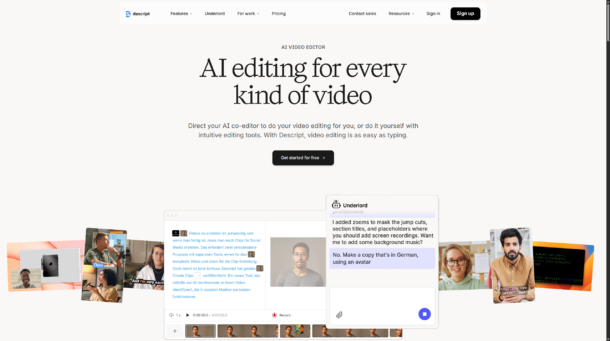
Descript pioneered text-based audio work and remains the most feature-rich option in this category. Edit your podcast like a Google Doc when you highlight text, hit delete, and watch the audio follow. The Studio Sound feature can make a file from your kitchen sound like it came from a professional studio.
Overdub lets you clone your voice to fix mistakes without a re-record. The filler word detection is genuinely impressive, and it finds every “um,” “uh,” “you know,” and “like” across hours of content in seconds. Screen capture is built in, which makes it versatile for video creators and educators.
Descript’s acquisition of SquadCast in August 2023 created a mature, fully integrated ecosystem for remote podcast work. After more than two years of integration work, users now benefit from a seamless workflow where files flow directly from SquadCast into Descript’s editor.
Subscription Change You Need to Know About: Descript overhauled its subscription model, and this matters more than most reviews mention. The platform moved from simple transcription minutes to a combination of “media minutes” and “AI credits.”
Here’s where workflow choice becomes critical: according to Descript’s official help documentation, “Rooms sessions use your media minutes, but only for the total length of the session—not per participant. For example, a 1-hour session with 5 participants will use 60 media minutes, not 300.” However, if you record externally and upload separate audio and video files for each participant, each file counts individually against your allocation. A 60-minute interview where you upload four separate files (host video, host audio, guest video, guest audio) consumes 240 media minutes. This distinction between the record inside the platform versus upload external files dramatically affects your costs.
Features that used to be unlimited, like Studio Sound enhancement, now cost AI credits. Those credits don’t roll over monthly.
Current Subscription Tiers:
- Free: 60 media minutes, 100 one-time AI credits, 720p export with watermark
- Hobbyist ($16/month billed annually): 600 media minutes, 600 AI credits/month
- Creator ($24/month billed annually): 1,800 media minutes, 1,200 AI credits/month
- Business ($50/month billed annually): 2,400 media minutes, 3,000 AI credits/month
Solo podcasters, content repurpose workflows (the turn of long episodes into clips), video podcast creators, and anyone who values speed over granular control will find Descript worth the look. Those who regularly record multi-track interviews externally and need unlimited process, or who produce high volume on a tight budget, should calculate their true costs carefully before the commit.
Try Designrr’s video transcription tool to showcase your podcast on your website.
Riverside for Remote Interviews and Video Podcasts
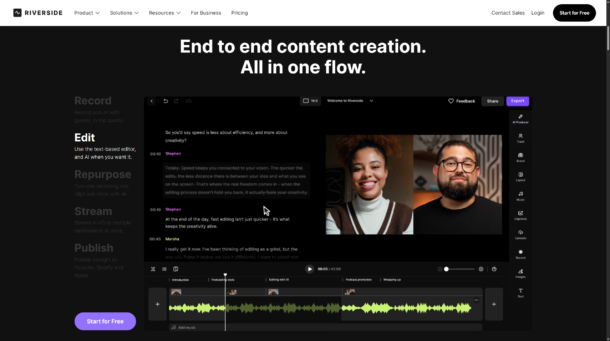
Riverside built its reputation on one killer feature: local capture. When you record a remote interview, the audio and video are captured on each participant’s device at full quality, then uploaded afterward. Internet hiccups don’t destroy your file, so you get studio-quality audio regardless of connection stability.
The platform has grown into a full suite with AI-powered features like Magic Clips (which automatically generates social-ready clips from your episode), AI Show Notes, and translation to 30+ languages. 4K video capture works entirely in the browser, with no software installation needed for guests. Separate audio tracks for each participant make post-production much easier, and the Magic Audio feature handles noise removal and levels in one click.
Subscription Breakdown:
- Free: 2 hours of capture (one-time), 720p export with watermark
- Standard ($15/month billed annually): 5 hours capture/month, 1080p, separate tracks
- Pro ($24/month billed annually): 15 hours capture/month, 4K video, all AI features
- Business ($79/month billed annually): Unlimited capture, custom brand, priority support
Interview-format shows, video podcasters who prioritize YouTube, creators who frequently record remote guests, and anyone who’s been burned by Zoom audio quality will appreciate Riverside’s approach. Solo podcasters who don’t need remote capabilities, or those who do heavy audio post-production that requires a traditional DAW, might find it more than they need.
Podcastle as the Budget-Friendly AI Contender
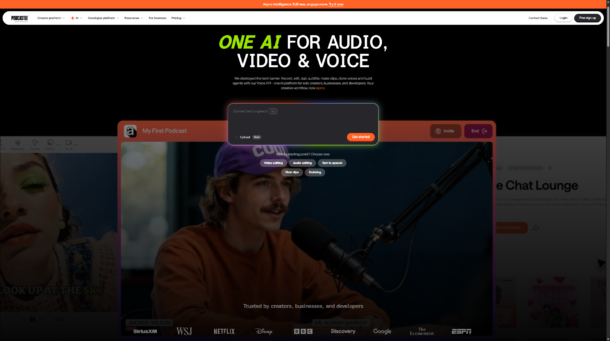
Podcastle has quietly become one of the most attractive options for creators who want AI features without Descript’s increasingly complex subscription. After the secure of $13.5 million in Series A fund in February 2024 from investors that include Mosaic Ventures and Andrew Ng’s AI Fund, the platform has invested heavily in AI capabilities while it kept the subscription straightforward.
Revoice AI lets you clone your voice to generate audio from text, which proves useful for the correction of mistakes or the creation of voiceovers. Updates through 2025 expanded the AI voice library to 450+ voices for text-to-speech. One-click noise removal and audio enhancement work surprisingly well. SOC 2 Type 2 compliance makes it viable for business use where security audits matter.
Subscription Breakdown:
- Basic (Free): 3 hours of video lifetime, 480p export with watermark
- Essentials ($11.99/month billed annually): 10 hours of content/month, 1080p, AI features
- Pro ($23.99/month billed annually): Unlimited content, priority process, all AI features
- Business ($39.99/month billed annually): Team collaboration, API access, custom brand
Creators who want Descript-like features at a lower price point, businesses that need security compliance, and anyone who creates content that requires text-to-speech capabilities will find value here. Those who need the most polished experience (Descript’s interface remains more refined) or require advanced video features should look elsewhere.
Professional DAWs for Creators Who Want Full Audio Control
AI tools are useful, but they don’t solve everything. If you produce a narrative podcast with complex sound design, need surgical precision in your edits, or simply prefer traditional audio work, these DAWs remain the gold standard.
Adobe Audition as the Industry Workhorse for Professionals
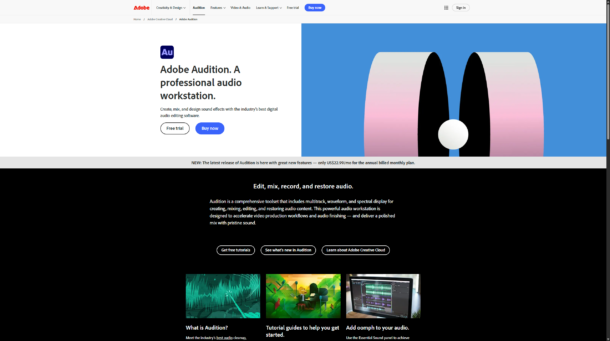
Adobe Audition has been the default choice for professional podcast editors for over a decade. The spectral frequency display lets you literally see and surgically remove specific sounds, whether that’s a dog bark, a phone buzz, or a siren that passes outside. Batch process handles repetitive tasks across multiple files automatically.
The noise reduction capabilities are exceptional. You can sample a section of background noise and remove it from the entire file. Integration with Premiere Pro makes it essential for video podcasters already in Adobe’s ecosystem. Multitrack mix handles complex productions with ease.
Adobe hasn’t invested heavily in Audition’s development lately, with the focus shift to Premiere and video tools. There are no built-in AI features; you’ll need third-party plugins like iZotope RX ($399-$1,299) for advanced restoration.
Subscription: $22.99/month as a single app, or included in the Creative Cloud All Apps plan at $59.99/month.
Professional podcast producers, narrative podcast creators, anyone already in Adobe products, and editors who need maximum control over audio restoration will find Audition delivers what they need.
Logic Pro and Its Exceptional Value for Mac Users
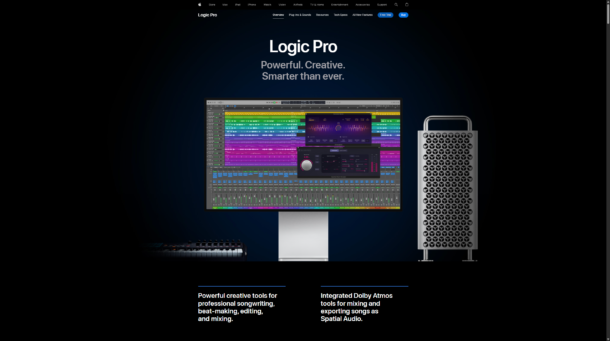
If you’re on a Mac, Logic Pro offers arguably the best value in professional audio software. For a one-time payment of $199.99 (with free lifetime updates), you get a DAW that rivals tools that cost hundreds per year in subscriptions.
Logic Pro 11, released in May 2024, introduced Session Players, which are AI-powered virtual musicians for drums, bass, and keyboards. While designed for music production, these features open creative possibilities for podcast intros, outros, and sound design. The Stem Splitter can separate vocals, drums, bass, and other elements from mixed audio, which proves useful for the repurpose of music or the creation of clean voiceovers. ChromaGlow adds analog warmth to digital files. The stock plugins are genuinely professional quality.
Logic Pro requires a Mac with no exceptions. The curve to learn is moderate, and it falls somewhere between GarageBand and Pro Tools in complexity. Some advanced features like Stem Splitter and ChromaGlow require Apple Silicon Macs.
Subscription: $199.99 one-time purchase. iPad version available separately at $4.99/month or $49/year.
Mac users who want professional capabilities without subscriptions, music podcasters, and creators who plan to grow into more complex productions will appreciate the value Logic Pro delivers.
Reaper for Professional Power at an Indie Price
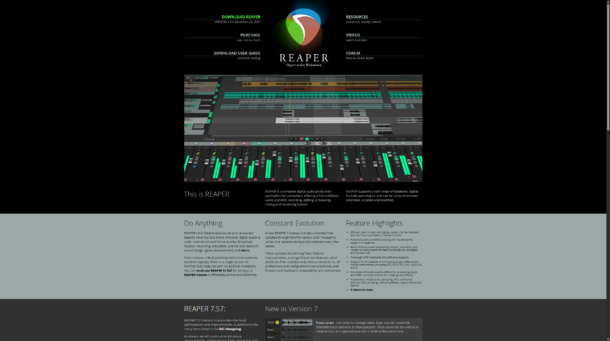
Reaper is the best-kept secret in podcast production. For $60 (personal license for individuals or businesses under $20K annual revenue), you get a DAW with capabilities that rival software that costs ten times more. The full version is $225 for commercial use.
The 60-day trial is fully functional with no restrictions, and it allows you to complete an entire podcast season before you decide to buy. The same license works on Windows, Mac, and Linux simultaneously. Updates are genuinely free; a license purchased in 2019 still receives updates today. The customization is unmatched, with every aspect of the interface and workflow open to modification.
Out of the box, Reaper looks intimidating and isn’t podcast-optimized. You’ll spend time on the configuration for your workflow. The Reaper Mania YouTube channel has excellent tutorials that make the curve to learn manageable.
Subscription: $60 discounted license (personal/small business), $225 commercial license.
Budget-conscious creators who want professional capabilities, power users who value customization, and anyone frustrated with subscription models will find Reaper refreshingly different.
Free Software Options That Actually Work
Before you spend money, it’s worth the understand of what free tools can and can’t do. Some podcasters build successful shows without ever paid for software.
Audacity as the Original Free Audio Editor
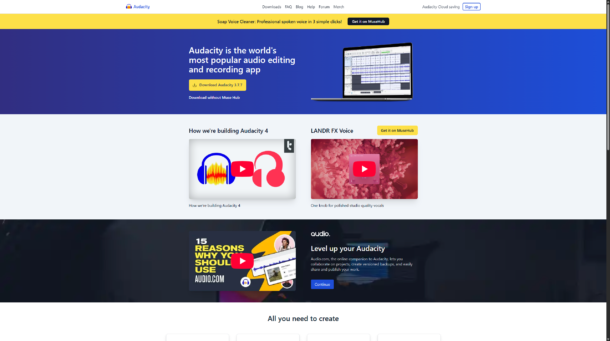
Audacity has been downloaded over 200 million times, which makes it the most popular free audio editor in existence. Professional podcasters still use it as part of their workflow.
You get full multitrack work, noise reduction, normalization, compression, and EQ. VST plugin support means you can add professional-grade effects. The January 2024 update added Intel OpenVINO AI plugins. Version 3.6+ introduced non-destructive real-time effects, a feature that was absent for decades.
The interface looks dated. Work was historically destructive (changes permanently alter the file), though this improves in recent versions. There’s no native video support, no mobile app, and no built-in AI features. The curve to learn is moderate, and it falls between AI tools and professional DAWs in difficulty.
Platform: Windows, Mac, Linux.
Budget-conscious creators who want full control, anyone who wants to learn audio fundamentals, and podcasters who prefer ownership over subscription will find Audacity capable.
GarageBand as the Mac User’s First Step
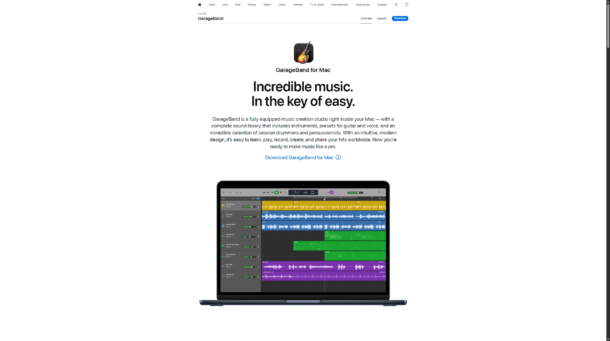
GarageBand comes pre-installed on every Mac and iOS device, which makes it the path of least resistance for Apple users. It’s designed for music production, but many podcasters have built successful shows with nothing else.
You get an intuitive interface, multitrack capture, built-in audio effects, Apple Loops for intros and outros, and direct export to Apple Podcasts Connect. Projects transfer seamlessly to Logic Pro if you outgrow GarageBand’s capabilities.
There are no podcast-specific features. The fade tool requires an automation workaround. Advanced features like spectral work and sophisticated noise reduction are absent. Mac and iOS only.
Platform: Mac and iOS only.
Apple users who start their first podcast, creators who value simplicity over features, and anyone who might eventually upgrade to Logic Pro will appreciate that GarageBand is already available.
DaVinci Resolve for Hollywood-Grade Video Work at Zero Cost
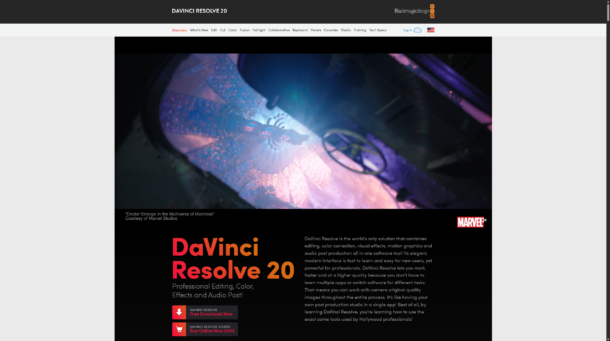
If you create video podcasts, DaVinci Resolve deserves serious consideration. This is the software used to edit major Hollywood films (Dune, Avatar, Deadpool), and the free version is genuinely powerful rather than a stripped-down demo.
You get professional video work up to 4K, Fairlight audio suite (a full DAW built into the video editor), color correction that rivals any paid software, and motion graphics capabilities. No watermarks, no time limits, no export restrictions on the free version.
DaVinci Resolve 20, announced in April 2025 and released in May 2025, added AI IntelliScript for automatic timeline creation from scripts and AI Multicam SmartSwitch for automatic speaker-based camera switch. These features are specifically useful for video podcasters who manage multi-camera productions or work from prepared scripts.
The curve to learn is steep. The software is resource-intensive, and it requires a reasonably powerful computer. The interface can feel overwhelming for simple podcast edits.
Subscription: Free version, or $295 one-time for Studio version with AI features and advanced capabilities.
Video podcasters on a budget, creators who want professional results without subscriptions, and anyone who produces content for YouTube will find DaVinci Resolve remarkably capable for $0.
Specialized Tools That Solve Specific Problems Well
Some tools don’t fit neatly into categories but solve specific problems exceptionally well.
Hindenburg Journalist and Pro Built Specifically for Spoken Word
While most DAWs are designed for music and adapted for podcasts, Hindenburg was built from the ground up for radio and spoken-word content. The automatic volume level handles the biggest technical challenge in podcast production: consistent audio levels across different speakers and conditions.
Voice Profiler automatically adjusts EQ based on speaker characteristics. Built-in publish directly to Libsyn, Spreaker, Podbean, and others eliminates extra steps. The interface is designed around stories rather than musical tracks. The Clipboard feature lets you easily assemble narrative podcasts from multiple takes.
Subscription: Journalist ($12/month billed annually), Pro ($27/month billed annually). One-time purchase options available at $95 (Journalist) and $375 (Pro).
Journalists, documentary podcasters, narrative storytellers, and anyone frustrated by music-oriented DAW workflows will find Hindenburg’s specialized approach refreshing.
Alitu for Maximum Automation with Minimum Effort
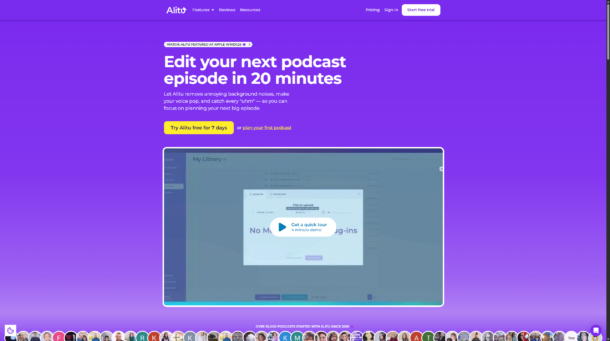
Alitu markets itself with a bold claim: edit your next podcast episode in 20 minutes. The platform automates nearly everything, with noise reduction, volume level, and add of intros/outros, all with minimal user input.
Upload your raw file, and Alitu handles cleanup automatically. The built-in royalty-free music library saves license headaches. Host is included in the subscription (up to 1,000 downloads). The company behind it, The Podcast Host, has extensive tutorials and guides.
Alitu handles audio only, with no video support. MP3 export only (no WAV or lossless options). Limited manual control if the automatic process doesn’t produce desired results.
Subscription: $38/month (approximately $32/month if billed annually).
Complete beginners, creators who want to minimize time on edits, and anyone who finds traditional audio software intimidating will appreciate Alitu’s simplicity.
Adobe Podcast for Studio-Quality Enhancement Without Software
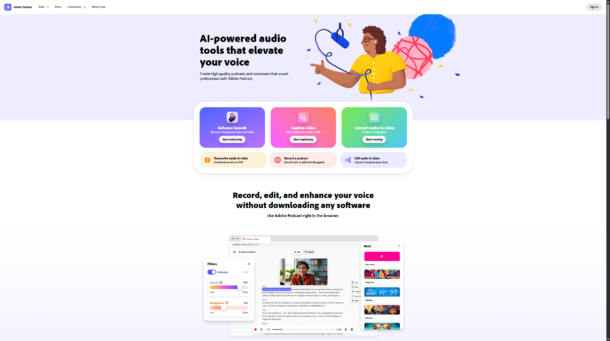
Adobe Podcast’s Enhance Speech feature is genuinely impressive. Upload audio captured on a phone or in a noisy environment, and it outputs something that sounds like it came from a treated studio. The tool runs entirely in your browser.
The one-click audio enhancement is among the best available. The free tier includes substantial use. No software installation is required, which makes it useful for quick fixes on any device.
The V2 enhancement algorithm has received criticism for the production of slightly “robotic” results in some cases, with users that report aggressive gate that removes natural end-of-sentence breaths. This is an enhancement tool rather than a full editor, so you still need something else for actual work.
Subscription: Free tier available. Premium at $9.99/month adds video support and extended use limits.
Quick audio cleanup, improved guest files, and anyone who needs studio-quality output from less-than-ideal situations will find Adobe Podcast useful as a supplementary tool.
How to Choose the Right Tool for Your Specific Situation
Forget the “best” podcast software. That doesn’t exist. Find the right tool for your specific situation when you answer these questions honestly.
Match Your Podcast Type to the Right Software Category
Solo commentary or monologue shows need basic capabilities. Audacity or GarageBand (if on Mac) will handle this fine. If you want AI assistance, Descript’s Creator plan offers good value for solo creators.
Interview podcasts with remote guests face quality as their biggest challenge. Riverside or Zencastr’s local capture means guest audio doesn’t sound like it came through a tin can. SquadCast (now owned by Descript and integrated into their platform) is another solid option.
Narrative or story-driven podcasts need multitrack capabilities, sound design tools, and precise control. Adobe Audition, Logic Pro, or Hindenburg Pro are your best options. Reaper offers similar capabilities at a fraction of the cost.
Video podcasts for YouTube need video capabilities alongside audio tools. Descript handles both well for straightforward productions. DaVinci Resolve (free) offers Hollywood-grade video work if you’re willing to learn it. Riverside combines capture and work for the video-first workflow.
Match Your Technical Comfort Level to Software Complexity
“I want something that just works” points toward AI-first platforms (Descript, Riverside, Podcastle) or all-in-one solutions (Alitu, Zencastr). You’ll trade some control for convenience, and that’s fine.
“I’m willing to learn but don’t have audio background” suggests the start with GarageBand (Mac) or Audacity (any platform). Both have enough tutorials online to teach you fundamentals. Graduate to Logic Pro or Reaper when you’re ready for more power.
“I want maximum control and don’t mind complexity” means Adobe Audition, Pro Tools, Reaper, or Logic Pro. These are professional tools with professional curves to learn. Budget time for training.
Match Your Budget to Realistic Software Options
Be honest with yourself about the real cost:
$0/month: Audacity, GarageBand, DaVinci Resolve (free). These are genuinely capable tools rather than hobbled trials.
$12-25/month: Podcastle Essentials ($12), Riverside Standard ($15), Descript Hobbyist ($16), Adobe Audition ($23). This range covers most podcasters’ needs.
$25-50/month: Riverside Pro ($24), Descript Creator ($24), Hindenburg Pro ($27), Alitu ($38), Descript Business ($50). Professional features and team capabilities.
One-time purchase (the avoidance of subscriptions): Reaper ($60), Hindenburg Journalist ($95), Logic Pro ($200), DaVinci Resolve Studio ($295), Hindenburg Pro ($375).
Common Mistakes That Cost Creators Time and Money
After the analysis of how creators choose (and often regret) their software decisions, here are the patterns to avoid.
The Problem with Purchase of More Tool Than You Need
The podcaster with a simple interview show who buys Pro Tools because they want “professional quality” is like someone who buys a commercial bread oven for their home kitchen. The tool doesn’t make the podcast good. The content and consistency do.
Start simpler than you think you need. Upgrade when specific limitations actually block your work rather than when you imagine they might someday.
The Hidden Costs of Free Subscription Tiers
Free tiers exist to get you committed to a platform’s ecosystem before the limitations bite. Pay attention to export restrictions (watermarks, resolution limits), storage limits that force upgrades as your library grows, feature caps that seem fine now but won’t be at episode 50, and “one-time” credits that disappear after your trial period.
Why You Should Plan for Multi-Track Capture from Day One
The capture of yourself and a guest on a single audio track feels simpler until you need to edit. When one person coughs, talks over the other, or has wildly different audio levels, you’re stuck.
Always capture separate tracks for each speaker. Every platform covered in this guide supports this. Your future self will thank you.
Why Direct Capture to MP3 Hurts Your Audio Quality
MP3 is a delivery format rather than a capture format. When you capture directly to MP3, you permanently discard audio information that can never be recovered, even if you later convert to a “higher quality” format.
Capture in WAV or another lossless format. Convert to MP3 only as the final step before distribution. Storage is cheap; quality degradation is permanent.
Loudness Standards and Why They Matter for Listener Experience
If your podcast is significantly louder or quieter than other shows, listeners will notice in an unflattering way. They’ll either blast their eardrums or strain to hear you.
The technical standard: Apple Podcasts recommends -16 LUFS for stereo content and -19 LUFS for mono. Spotify prefers slightly louder at -14 LUFS. Most AI tools handle this automatically; if you use a traditional DAW, look for a LUFS meter plugin (Reaper includes one in version 7+).
International Considerations for Creators Outside the United States
If you create content outside the U.S. or target international audiences, here are factors that often get overlooked in software guides.
Latin America and Its Unique Market Considerations
Latin America had 135.2 million podcast listeners in 2023, which exceeded the U.S. market of 130 million. Brazil leads with 51.8 million listeners, and YouTube dominates as the primary consumption platform (62% in Brazil).
Most SaaS podcast tools don’t offer explicit regional subscription, so you’ll pay USD rates with currency conversion at checkout. For Brazilian creators, Pix instant payment support is increasingly important; platforms like Stripe and EBANX enable this, though not all podcast tools have integrated it yet.
AI transcription accuracy varies significantly for Spanish and Portuguese. ElevenLabs and Whisper-based tools generally perform better than older transcription engines. Test accuracy with your specific accent and terminology before you commit.
Europe and Its VAT, GDPR, and Data Residency Requirements
VAT adds 17-27% to subscription prices. European users pay more than the advertised U.S. prices. Germany adds 19%, France 20%, UK 20%, Sweden 25%, Hungary 27%. Factor this into budget calculations.
GDPR compliance matters for transcription. When AI tools transcribe your audio, that data is processed on servers somewhere. For interviews that contain identifiable information, understand where your audio is processed and what happens to it. Most major platforms (Descript, Riverside, Podcastle) publish data process information, but policies vary.
Some European creators prefer tools with EU-based data centers. Descript stores data on Amazon S3/Google Cloud (US-based). Zoom offers EU data center options for paid accounts. European-hosted alternatives exist but with smaller feature sets.
Final Thoughts on How to Make Your Decision
The “best” podcast software is the one that gets episodes out of your head and into the world. Perfect audio quality doesn’t matter if episodes never get published. Elaborate features don’t help if you spend more time on learn software than create content.
Start with something simple. Get a few episodes under your belt. Pay attention to where you’re actually frustrated rather than where you imagine you might be frustrated someday. Upgrade only when real limitations appear, not hypothetical ones.
Every successful podcaster was once a beginner who hit record for the first time, unsure if they did it right. The tools are easier and more powerful than ever. The only remaining variable is whether you’ll actually use them.
Frequently Asked Questions About Podcast Software
Get answers to the most common questions about choosing and using podcast production tools
What’s the difference between a DAW and an AI-powered podcast tool?
A Digital Audio Workstation (DAW) like Adobe Audition or Logic Pro gives you complete manual control over audio editing, working directly with waveforms and effects. AI-powered tools like Descript and Riverside let you edit audio by editing text—delete words from a transcript and the audio disappears with them. DAWs offer precision but require more time and skill; AI tools prioritize speed and convenience but may offer less granular control.
Can I start a podcast with free software?
Absolutely! Audacity is a powerful free audio editor used by many professional podcasters. Mac users have GarageBand pre-installed. For video podcasts, DaVinci Resolve offers Hollywood-grade editing capabilities completely free. These tools are genuinely capable rather than stripped-down demos—many successful podcasters never upgrade to paid software.
Why do remote interview recordings often sound bad, and how can I fix it?
Standard video call apps like Zoom compress audio heavily and are affected by internet quality. Tools like Riverside and Zencastr solve this with “local recording”—they capture audio directly on each participant’s device at full quality, then upload afterward. Internet hiccups don’t affect the recording, resulting in studio-quality audio regardless of connection stability.
What does “metered AI credits” mean and why should I care?
Many AI podcast tools have moved from unlimited features to usage-based pricing. Features like noise reduction, transcription, and voice enhancement now consume “AI credits” that don’t roll over monthly. A tool advertised at $15/month might cost $50 when you factor in metered credits. Always calculate your true monthly costs based on your actual usage before committing to a platform.
Should I record in MP3 format to save storage space?
No—this is a common mistake. MP3 is a delivery format, not a recording format. When you record directly to MP3, you permanently discard audio information that can never be recovered. Always record in WAV or another lossless format, then convert to MP3 only as the final step before distribution. Storage is cheap; quality degradation is permanent.
Why is multi-track recording important for podcasts?
Recording yourself and guests on separate audio tracks gives you editing flexibility. When someone coughs, talks over another person, or has different audio levels, you can fix one track without affecting others. Recording everyone on a single track makes these problems impossible to fix. Every platform in this guide supports multi-track—use it from day one.
What are LUFS and why do loudness standards matter?
LUFS (Loudness Units relative to Full Scale) measures perceived loudness. If your podcast is significantly louder or quieter than other shows, listeners notice negatively. Apple Podcasts recommends -16 LUFS for stereo and -19 LUFS for mono; Spotify prefers -14 LUFS. Most AI tools handle this automatically, but traditional DAWs require you to check with a LUFS meter plugin.
Is video podcasting necessary for growth in 2026?
Video has become increasingly important. YouTube now accounts for 34% of all U.S. podcast consumption according to Edison Research, making it the largest single platform. While audio-only podcasts remain viable, video versions significantly expand your potential audience and enable content repurposing for social media clips. Tools like Riverside and Descript make video podcasting more accessible than ever.
What’s the best podcast software for complete beginners?
For the simplest path to publishing, consider Alitu ($38/month) which automates nearly everything—noise reduction, volume leveling, and intro/outro addition. Mac users can start free with GarageBand. If you want AI assistance without complexity, Podcastle ($12/month) offers a good balance of features and simplicity. The “best” tool is whichever one gets episodes out of your head and into the world.
How can I avoid subscription fatigue with podcast tools?
Several excellent one-time purchase options exist: Reaper costs $60 (personal license) with free lifetime updates, Logic Pro is $200 (Mac only), DaVinci Resolve Studio is $295, and Hindenburg offers perpetual licenses. These tools match or exceed subscription alternatives. Calculate the break-even point—if you’ll podcast for more than a year, one-time purchases often make financial sense.