⚡️ Key Takeaways
→ Flipsnack alternatives split into two camps: flipbook-first tools that wrap a finished PDF in a page-turning viewer (Publuu, Heyzine, Issuu, FlippingBook), and creation-first tools that build the publication from content you already have (Designrr).
→ Designrr is the best pick if you want to take a blog post, YouTube video, or podcast and publish it as an ebook, flipbook, or audiobook — all from one source.
→ For pure flipbooks, Heyzine and Publuu give you the most value. Issuu is best for reach. FlippingBook and Paperturn are best for polished, secure, or accessible business documents.
→ The real question isn’t “which flipbook viewer looks nicest.” It’s “do I just need to present a PDF, or do I need to make the publication in the first place?”
⚡️ The short answer (before you scroll)
Most people leave Flipsnack for one of three reasons: the price climbs fast, downloads and a clean watermark-free embed sit behind paid tiers, and you stay a single user until a steep team plan. If you only need to turn a finished PDF into a hosted page-turner, Heyzine or Publuu do it for less. But if your real job is turning content you already have into a polished publication — and especially if you want it in more than one format — Designrr does that from a single source, and the flipbook tools on this list don’t.
Here’s the thing about looking for a Flipsnack alternative: you’ve probably hit at least one of three walls. The jump from one paid plan to the next is steep. Downloading your work — and removing the watermark from an embed — costs more than you expected. And you’re stuck as one user until you reach a pricey team plan. One Flipsnack user on Trustpilot in January 2026 called the trial’s blocked-export experience “scummy” after putting hours into a project (summarized here). Fair or not, that frustration is why this list exists. Below are 12 tools worth testing in 2026.
| Tool | Best for | Entry price | Standout feature |
|---|---|---|---|
| Designrr | Turning blogs, videos & podcasts into ebooks, flipbooks & audiobooks | $29/mo (or $27 one-time) | Import from any source, publish to every format |
| Canva | Design-first creators | Free; Pro from $10/mo | Huge template library + Magic Studio AI |
| Heyzine | Budget-friendly flipbooks | Free; $4/mo | 5 free flipbooks; cheapest watermark removal |
| Publuu | Best-rated flipbooks | $7/mo | Swap the PDF without changing the link |
| Issuu | Reach & discovery | Free; $19/mo | Built-in reader network |
| FlippingBook | Premium, secure documents | $20/user/mo | Vector-sharp rendering + security |
| Paperturn | Accessibility & shoppable catalogs | $15/mo | WCAG 2.1 + in-flipbook shopping cart |
| FlipHTML5 | AI-assisted creation + selling | Free; $12/mo | AI chatbot, writing & image tools |
| Visme | Interactive, data-rich ebooks | Free; $12.25/user/mo | Interactivity + live-data charts |
| AnyFlip | Free storage & offline export | Free; $15/mo | Export to HTML/EXE/APK |
| FlipBuilder | One-time, offline desktop | $149 one-time | Buy once, no subscription |
| Marq | Brand-locked team templates | Free; ~$10/user/mo | Lockable brand templates |
Prices are the lowest regular paid plan (or free tier); some require annual billing. Each figure was checked against the vendor’s own pricing page or a current listing in 2026 — links are in each section below.
1. Designrr — Best Flipsnack Alternative for Repurposing Content Into Any Format
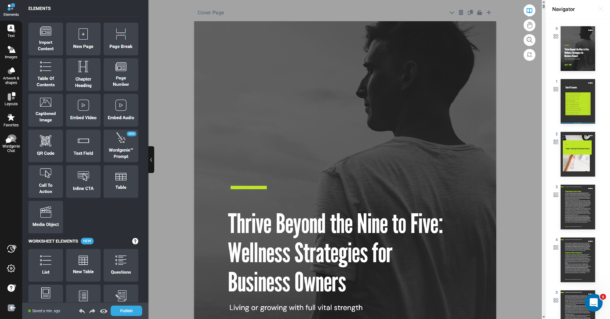
Here’s what makes Designrr different from almost everything else on this list. The flipbook tools assume you already have a finished PDF. Designrr is built for the step before that — turning content you already own into a publication. That’s the whole idea: import from anywhere, publish to everything. A blog post becomes a lead magnet. A podcast episode becomes an ebook. One source, many formats, no design degree required.
Sign up for Designrr’s special offer today!
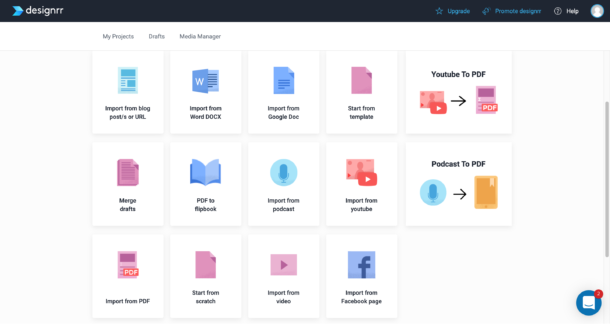
Import from almost any source
Most flipbook tools start with a finished PDF. Designrr starts with whatever you’ve already got, and strips out the clutter for you.
- Paste a blog post URL and it pulls in the article without the navigation, ads, or share icons — and you can combine several URLs into one ebook.
- Upload a Word doc, a Google Doc, or a text-based PDF (PDF import is on the Pro plan and up).
- Hand it a YouTube link, a podcast, or a video file, and it transcribes the audio and captures scene screenshots automatically.
- The Transcription Editor then gives you timestamps, speaker labels, and a one-click SRT caption file — handy when you’re turning a webinar or interview into something readable.
Publish — and share — in every format from one project
Build it once, then send it wherever you need to be. No rebuilding.
- Export a PDF on any plan, a Kindle-ready ePub/.mobi on Pro and up, and print-ready paperback or hardcover files for Amazon KDP on Premium.
- Turn any PDF into a page-flipping flipbook — the flipbook generator handles that on Pro and up.
- Want something interactive? Publish a Live eBook, where video and audio play inside the page, you can password-protect access, and you can add a Google Analytics tracking ID to see how people read it.
- Hand the same content to listeners as an audiobook with natural AI voices (multiple speakers on Premium).
- Share any of it by link, embed it on your site with an HTML embed code (Premium), or print the auto-generated QR code.
Here is a live example of a flipbook we created using Designrr.io flipbook creator:
A built-in library, so you’re not hunting for assets
You don’t pay extra for visuals, and you don’t gamble on a license.
- The Media Manager includes 800,000+ copyright-free images from Unsplash and Pixabay.
- 922 Google Fonts and 200+ cover designs ship with it, plus a 3D cover-and-mockup tool that turns a flat cover into a product shot.
AI that helps you create, not just format
When the words need work, the help sits right inside the editor.
- Wordgenie can draft a full ebook from a one- or two-word topic, and every account comes preloaded with 2,000,000 credits.
- Highlight any passage and Wordgenie Edit will rewrite it, fix the grammar, shorten it, or extend it.
- Before you design, the AI-Enhanced Editor cleans up structure, checks spelling, and tightens clarity in a single pass.
- On Premium, you can generate original images straight from a prompt.
Pricing: Standard $29/mo, Pro $39/mo, Premium $49/mo (Business $99/mo, Agency Premium $249/mo). Every plan includes a 7-day free trial and a 30-day money-back guarantee, and there’s a one-time $27 lifetime deal on the entry-level Standard tier (Designrr pricing; Capterra).
Pros
- You own what you publish — exports carry no Designrr watermark, and a commercial license is included.
- Flat monthly pricing, with no per-seat minimums and no per-credit overages.
- Free 1-on-1 onboarding and an active user community soften the learning curve.
- Re-edit and republish as often as you like, at no extra cost.
Cons
- It’s a layout-and-design tool, not a writer — your text should be clean before you import it, and scanned or Canva-exported PDFs won’t import (only text-based PDFs do).
- There’s no built-in email-capture or Zapier integration, so lead forms run through a button that points to your own opt-in page.
Shane T., Founder (Marketing & Advertising), on Capterra: “I can quickly produce incredible ebooks, PDFs and flipbooks that are very professional looking.” (Capterra)
Start your Designrr free trial — no credit card required for the first 7 days, and the $27 lifetime deal is the cheapest way to test the full workflow (start here).
2. Canva — Best for Design-First Creators
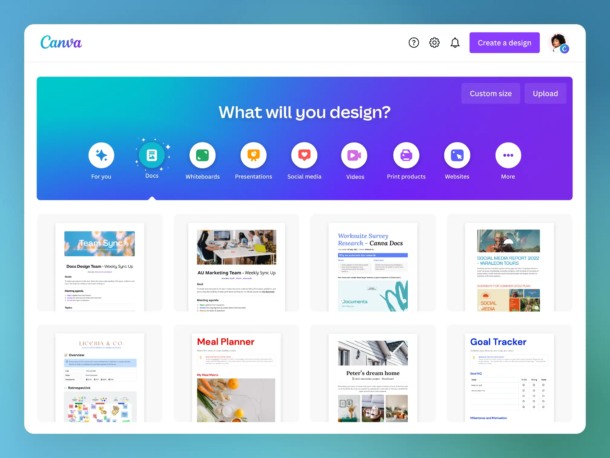
Canva isn’t a flipbook tool, but it’s where a lot of people design the PDF they later turn into one — so it belongs on any honest list. You build the pages here, then publish the flipbook somewhere else. Think of it as the design half of the job, not the publishing half.
Best for: Designers and teams who want the strongest design canvas and will publish the flipbook with another tool.
Key features
- Millions of templates and a deep asset library
- Magic Studio AI for quick edits and generation
- Real-time team collaboration
- Clean PDF export to feed into a flipbook maker
Pros: Easiest design experience on this list; a genuinely useful free plan. / Cons: No true interactive flipbook with analytics or lead capture; Teams pricing moved to per-seat in late 2024, raising costs for many teams.
Pricing: Free; Pro $15/mo (or $120/year, about $10/mo); Teams/Business at $100/year per user, billed annually (Canva pricing).
3. Heyzine — Best Budget Flipbook Maker
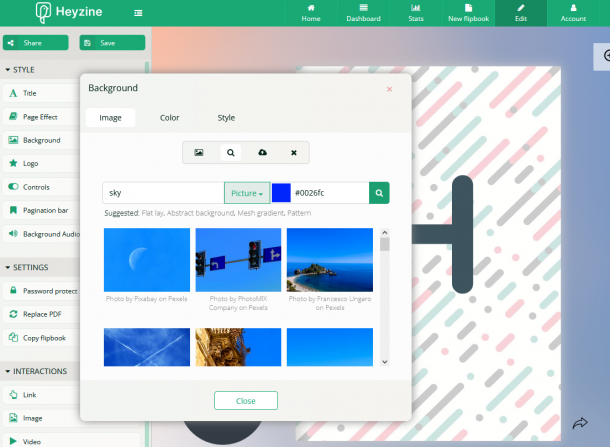
If you want a clean, branded flipbook without paying much, start here. Heyzine’s free plan gives you five flipbooks with unlimited pages — more than most rivals offer for free — and the paid upgrade that removes the watermark is one of the cheapest in the category.
Best for: Small businesses, restaurants, schools, and freelancers who want a polished flipbook on a budget.
Key features
- Five flipbooks and API access even on the free plan
- Analytics, lead generation, and Google Analytics on Professional
- Custom domain and password protection on Premium
- Canva, Shopify, and WordPress integrations
Pros: A 5-flipbook free tier, and a $4/mo plan that strips the watermark. / Cons: The free plan stamps a Heyzine watermark; smaller template library than the bigger platforms.
Pricing: Free (5 flipbooks, watermark); Standard $4/mo ($49/year, removes the watermark); Professional $14/mo ($99/year, adds analytics); Premium $29/mo ($203/year, adds custom domain), all billed annually (Heyzine pricing, verified May 2026).
4. Publuu — Best-Rated Flipbook Tool
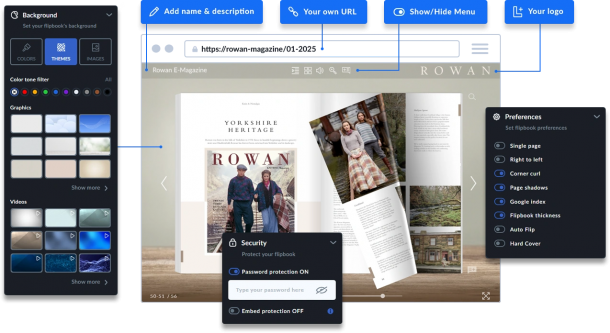
If you want the safest “it just works and people love it” pick, Publuu is it. With a 4.8/5 from more than 530 reviews on G2 (G2), it’s the highest-rated tool in this category, and the praise is consistent: a clean editor and professional output without a steep learning curve.
Best for: Designers, real-estate agents, and marketers who want a professional flipbook fast.
Key features
- Clean, modern editor
- “Live update” — swap the PDF behind a flipbook and keep the same link
- Animated hotspots, statistics, and lead capture on higher tiers
- Custom domain on the top tier
Pros: A polished result at a $7 starting price; very easy to use. / Cons: No permanent free plan (14-day trial only); no API and no built-in selling.
Pricing: 14-day trial; Basic $7/mo, Optimum $24/mo, Professional $49/mo, Premium $89/mo, billed annually (Publuu prices).
5. Issuu — Best for Reach and Discovery
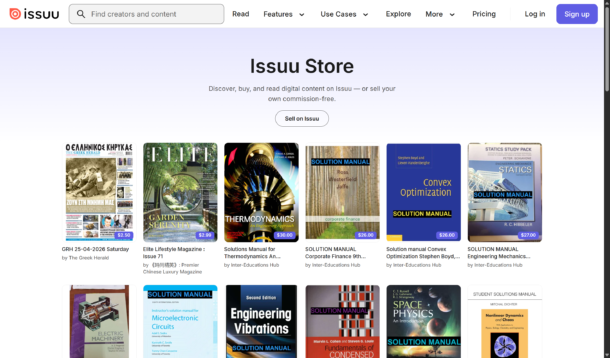
Issuu’s edge isn’t the editor — it’s the audience. Your publication can surface in Issuu’s own reader network, which is reach you’d otherwise have to pay for. It also lets you sell digital editions without taking a commission.
Best for: Magazine and catalog publishers who want discovery and the option to sell.
Key features
- Built-in reader network
- Commission-free digital selling
- InDesign, Canva, and Mailchimp integrations
- 30-day stats on the Starter plan
Pros: Real distribution and a recognizable brand. / Cons: The free plan shows ads and Issuu branding; reviewers report rising prices and hard-to-reach support.
Pricing: Free Basic (5 publications, with ads); Starter $19/mo; Unlimited about $188/mo; Teams about $417/mo. Issuu merged its Premium and Optimum plans into “Unlimited” in October 2024 (pricing breakdown), and it’s now owned by Bending Spoons (Business Wire).
6. FlippingBook — Best for Premium, Secure Documents
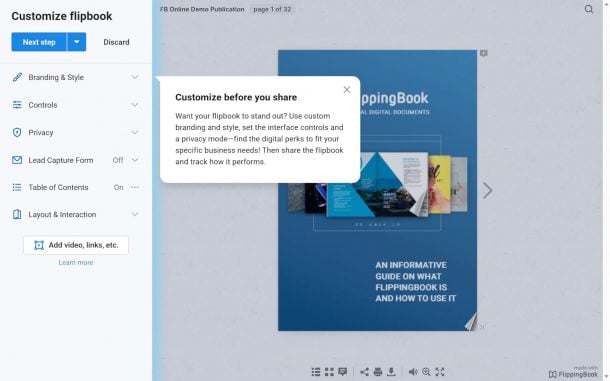
FlippingBook is the polished, business-grade option for client-facing work. There’s no design canvas — you bring the PDF — but the rendering stays sharp when readers zoom in, and the security features are built for sales and marketing teams.
Best for: Sales and marketing teams sending proposals, brochures, and reports to clients.
Key features
- Vector-sharp rendering on any screen
- Built-in lead generation (Optimal plan and up)
- Password protection and API access (Advanced and up)
- Optional desktop self-hosting
Pros: A premium feel; strong security and control (4.7/5 from nearly 300 G2 reviews). / Cons: No permanent free plan; lead gen and a custom domain sit at higher tiers, and it charges per user.
Pricing: No free plan, 14-day trial. On annual billing: Lite $20/user/mo, Starter $44, Optimal $93, Advanced $187, and Team $257/mo for five users (FlippingBook plans).
7. Paperturn — Best for Accessibility and Shoppable Catalogs
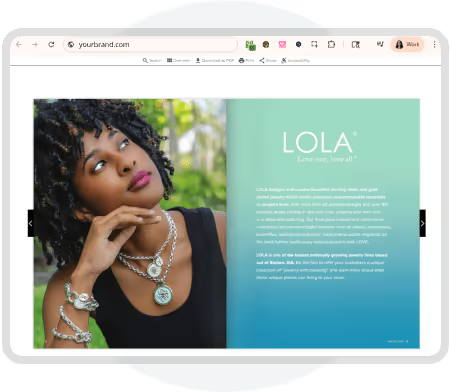
Paperturn quietly nailed the two things bigger buyers ask about first: accessibility and selling inside the flipbook. It’s WCAG 2.1 accessible and GDPR-focused, with an in-page shopping cart on affordable tiers.
Best for: EU-facing businesses, e-commerce catalogs, and anyone with compliance requirements.
Key features
- Shopping cart inside the flipbook
- 40+ interactive features
- WCAG 2.1 accessibility and GDPR compliance
- Replace the PDF without breaking the link
Pros: Accessibility and commerce on low tiers; widely praised support (4.9/5 from 141 Capterra reviews). / Cons: No from-scratch design tool; a smaller template library.
Pricing: 14-day no-card trial; Basic $15/mo and Pro $29/mo, priced by flipbook “slots” (Paperturn pricing). Worth knowing if you sell into Europe: the European Accessibility Act has been enforceable since June 28, 2025, it applies to anyone offering products or services to EU consumers above the micro-enterprise threshold, and each member state sets its own penalties (Davis Wright Tremaine).
8. FlipHTML5 — Best for AI-Assisted Creation and Selling
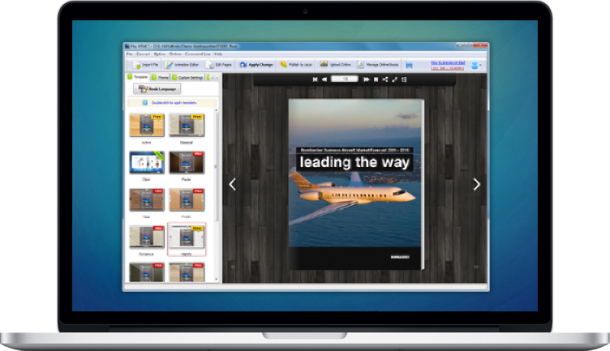
FlipHTML5 leaned into AI. Alongside its flipbook editor, it now offers an in-flipbook AI chatbot readers can ask questions, AI writing help, and AI image generation — useful when you’re staring at a blank page. (If you read an older roundup claiming FlipHTML5 has “no AI,” that’s out of date.)
Best for: Solo creators who want AI assistance and the option to sell their work.
Key features
- AI chatbot, AI writing, and AI image generation
- Commission-free selling and a public “bookcase” directory
- Offline export to standalone EXE and APP files
- Embedded video inside flipbook pages
Pros: A capable AI suite and offline export at a low price. / Cons: The free tier has a watermark and ads; thinner security and compliance documentation than Western-based platforms.
Pricing: Free (watermark + ads); Pro $15/mo ($12 on annual billing); Platinum $35/mo; Enterprise $99/mo (Capterra; AI suite detailed in this hands-on review).
9. Visme — Best for Interactive, Data-Rich Ebooks
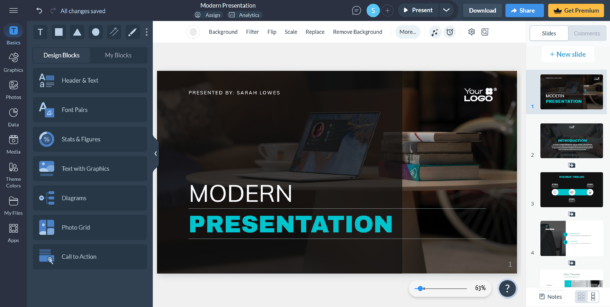
Visme is a broader visual-content platform with a flipbook mode built in. Its real strength is interactivity and data — animated charts, live data pulled from Google Sheets, and an AI-assisted editor.
Best for: Marketers and educators building interactive, data-heavy ebooks and training content.
Key features
- Interactive elements and embedded media
- Charts that update from live data sources
- HTML5 interactive export
- Brand kit on the Pro plan
Pros: Excellent for interactive content and data visualization. / Cons: The free plan adds a watermark; it can lag on complex projects.
Pricing: Free (watermark); Starter $12.25/user/mo and Pro $24.75/user/mo on annual billing; Enterprise custom (Capterra).
10. AnyFlip — Best for Free Storage and Offline Export
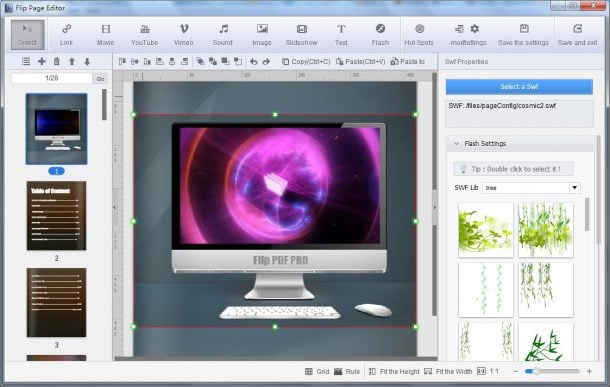
AnyFlip is the budget pick with one trick the cloud-only tools don’t have: offline export. You can publish a flipbook as a standalone HTML file and open it without an internet connection.
Best for: Budget publishers, educators, and ministries that need offline copies and lots of storage.
Key features
- A generous free tier with 100GB of storage
- Export to HTML, EXE, APP, and APK
- Custom domain on Platinum and up
- Multi-user accounts on higher tiers
Pros: Offline export and lots of free storage. / Cons: A watermark on the free tier; the interface feels dated.
Pricing: Free (100GB storage); Pro $15/mo; Platinum $35/mo; Enterprise $99/mo (AnyFlip pricing).
11. FlipBuilder — Best One-Time, Offline Option
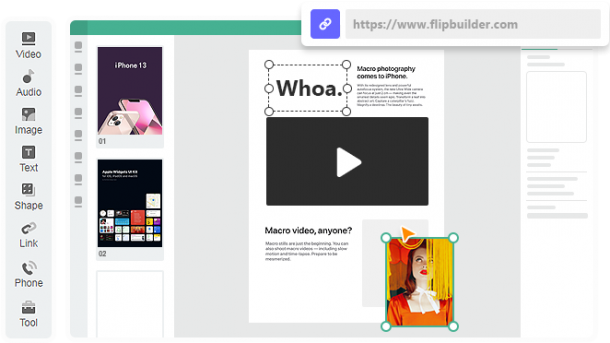
If subscriptions are the thing you hate, FlipBuilder is the fix. It’s desktop software you buy once and own outright — no monthly fee, and your work stays on your own machine.
Best for: Educators and corporate teams that want to pay once and keep everything in-house.
Key features
- Offline desktop app
- Multi-format export, including APK
- WordPress plugin export
- A one-time perpetual license
Pros: No recurring fee; full ownership and offline control. / Cons: Desktop-only; dated templates; hosting is a per-book add-on.
Pricing: Flip PDF Plus $149 one-time; Plus Pro $399 one-time; Plus Corporate $699 one-time (FlipBuilder).
12. Marq — Best for Brand-Locked Team Templates
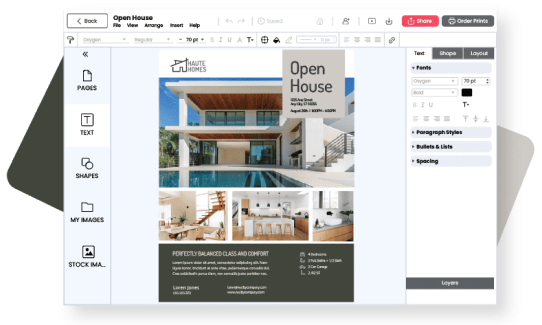
Marq (formerly Lucidpress) isn’t a flipbook tool first — it’s a brand-templating platform. Its trick is lockable templates: you build an on-brand layout, lock the parts that shouldn’t change, and let a distributed team edit only what’s safe.
Best for: Enterprises and franchises keeping many people consistent and on-brand.
Key features
- Lockable brand templates
- Salesforce, HubSpot, and DAM integrations
- Team roles and permissions
- Print and digital output
Pros: Brand control at scale. / Cons: Flipbook output is a side feature; it’s better at templating than at reading experiences.
Pricing: Free; paid plans from about $10/user/mo; Business custom (Capterra).
How to Choose a Flipsnack Alternative
Skip the feature checklists for a second. Five questions sort almost every decision in this category.
- Does it build the publication, or just wrap a PDF you already made? If you start from a blog post, a video, or a podcast, you want an import-first tool — not only a viewer that needs a finished file.
- Can it publish to more than one format from a single source? If you need an ebook and a flipbook and a Kindle file, rebuilding each one by hand is wasted effort. The right tool exports them all from one project.
- Does it include copyright-free images, or do you pay extra (or risk a license)? Built-in libraries save real money and real legal headaches.
- Is the price flat, or do you pay per AI credit and per seat? Watch for seat minimums and credit overages — they’re where the advertised price and the real bill part ways.
- Does it run in your browser, or need a download? Cloud tools let you work from anywhere; desktop tools trade that for offline control and one-time pricing.
Final Recommendation
Quick version. If you only need to turn a finished PDF into a hosted page-turner, Heyzine is the cheapest with a fair free plan, and Publuu is the best-rated. If reach matters most, Issuu. If you’re sending polished documents to clients or you have accessibility requirements, FlippingBook or Paperturn. And if your real job is turning content you already have — posts, videos, podcasts — into a finished, multi-format publication from a single source, that’s Designrr, and nothing else here does it the same way. Start with Designrr’s 7-day free trial and import your first piece of content.
Frequently Asked Questions About Flipsnack Alternatives
Common questions about choosing the right flipbook or publication tool in 2026
Why do people look for a Flipsnack alternative?
The three most common reasons are pricing, export restrictions, and team access. The jump between paid plans is steep, removing the watermark from an embed costs more than many users expect, and you remain a single user until you reach a much more expensive team plan. If any of those pain points sound familiar, one of the tools on this list is likely a better fit.
What is the difference between a flipbook tool and a content-creation tool?
A flipbook tool (like Heyzine, Publuu, or FlippingBook) assumes you already have a finished PDF and wraps it in a page-turning viewer. A content-creation tool like Designrr helps you build the publication from scratch — importing a blog post, video, or podcast and exporting it as an ebook, flipbook, audiobook, or Kindle file. If you don’t have a finished PDF yet, a creation-first tool saves you a separate design step.
Which Flipsnack alternative is cheapest?
For pure flipbooks, Heyzine is the most affordable option — its free plan includes five flipbooks with unlimited pages, and the paid plan that removes the watermark starts at $4/month on annual billing. For content creation across multiple formats, Designrr offers a one-time $27 lifetime deal on its entry-level plan, which is the cheapest way to test the full workflow with no recurring fee.
Which tool is best-rated among Flipsnack alternatives?
Publuu holds the highest rating in the flipbook-viewer category, with a 4.8 out of 5 from over 530 reviews on G2. Reviewers consistently praise its clean editor and professional output. Paperturn also stands out with a 4.9 out of 5 on Capterra — particularly for its accessibility features and customer support.
Can I turn a blog post or podcast into a flipbook?
Yes — but only Designrr handles this end-to-end from a single import. You can paste a blog post URL, upload a Word or Google Doc, or hand it a YouTube link or podcast file, and it converts the content into a publication. From there, you can export a PDF, an ebook, or a flipbook without rebuilding anything. Standard flipbook tools require a finished PDF first.
Do any of these tools work offline or avoid a subscription fee?
Yes — two options stand out here. FlipBuilder is desktop software you buy once (starting at $149 one-time) with no monthly fee and no internet dependency; your files stay on your own machine. AnyFlip is cloud-based but lets you export to standalone HTML, EXE, or APK files that open without an internet connection, while still offering a generous free tier with 100GB of storage.
Which tool is best for sending client-facing proposals or sales documents?
FlippingBook is built for exactly this. It renders PDFs with vector-sharp quality at any zoom level, includes password protection and lead generation, and has an optional self-hosted desktop version for teams that need full control. It holds a 4.7 out of 5 on G2 from nearly 300 reviews. The trade-off is a per-user price starting at $20/user/month.
Which tool is best if I want my publication to reach a wider audience?
Issuu is the standout choice for distribution and discovery. It has a built-in reader network where your publication can surface organically — reach you’d otherwise have to pay for through advertising. It also lets you sell digital editions without taking a commission. The free plan includes ads and Issuu branding; paid plans start at $19/month.
Are any of these tools compliant with accessibility or EU regulations?
Paperturn is the strongest option here. It is WCAG 2.1 accessible and GDPR-focused, making it well-suited for EU-facing businesses and organizations with compliance requirements. This matters more now that the European Accessibility Act has been enforceable since June 28, 2025, applying to anyone offering products or services to EU consumers above the micro-enterprise threshold.
Which tool is best for keeping a large team on-brand?
Marq (formerly Lucidpress) is purpose-built for this. Its core feature is lockable templates — you design an on-brand layout, lock the parts that shouldn’t change, and let distributed team members only edit what’s safe. It also integrates with Salesforce, HubSpot, and digital asset management platforms. Paid plans start around $10 per user per month.



