If you’re trying to figure out what Canva actually costs in 2026, the number on the pricing page is only half the story. The plans look simple. The real bill depends on how many people you add, how you’re billed, and a few things Canva doesn’t put in big type. This guide breaks down every tier, the math that catches people out, and where a flatter, one-time option makes more sense.
How Canva’s Pricing Works in 2026
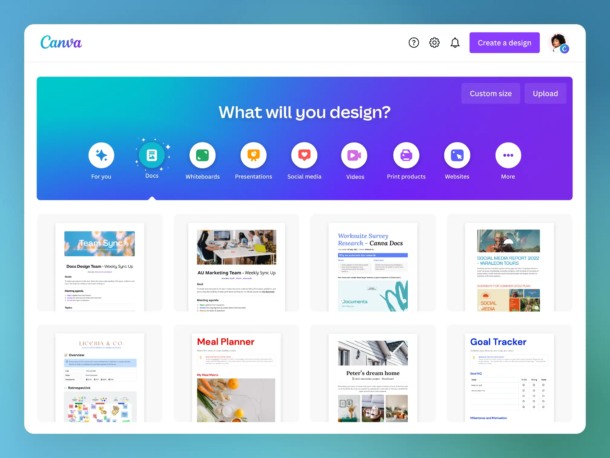
Canva sells four plans, and they stack like rungs on a ladder. Free sits at the bottom. Pro is the single-user upgrade. Business (which Canva used to call Teams) is the multi-seat plan. Enterprise is the custom-quote tier for big organizations.
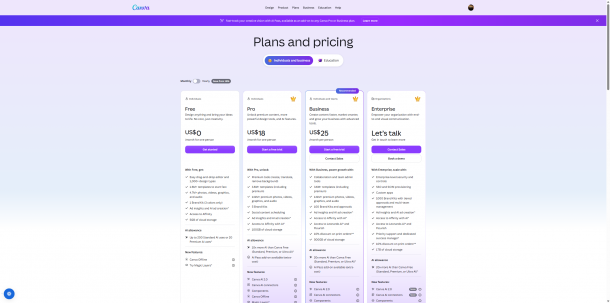
Here’s the quick view, in US dollars:
| Plan | Monthly | Annual | Free trial | Best for |
|---|---|---|---|---|
| Free | $0 | $0 | — | Hobbyists, light personal design |
| Pro | $18/mo | $144/yr (~$12/mo) | 30 days | Solo creators, freelancers |
| Business | $25/user/mo | $250/yr per person (~$21/mo) | 30 days | Teams |
| Enterprise | Custom | Custom | — | 50+ seats, security needs |
Those figures come straight from Canva’s own pricing page as of June 2026. Annual billing is where the savings live — Pro drops to about $12 a month when paid yearly, and Business to about $21.
One thing worth saying up front: Canva is a genuinely good product. It serves more than 200 million monthly active users, according to CostBench’s company profile. The question isn’t whether it works. It’s whether you’re paying for the right slice of it.
Canva Free: What You Actually Get for $0
Canva Free is not a trial. It’s a permanent plan, and it’s more generous than most free tiers you’ll meet.
You get a drag-and-drop editor with 1,000+ design types, 1.6 million-plus templates, 4.7 million-plus free photos and graphics, real-time collaboration, and exports to PNG, JPG, PDF, MP4, and GIF (Canva pricing page). For a lot of people making the occasional social post or flyer, that’s plenty.
The walls show up in three places. Storage caps at 5 GB, and when it’s full, uploads simply stop. The premium asset library — the nicer photos, fonts, and elements — is locked or watermarked. And the tools people most want, like Background Remover and Magic Resize, sit behind Pro. There’s also a monthly AI limit on Free — up to 200 Standard AI uses, or 20 Premium AI uses.
So Free is the right home for light, occasional use. The moment you’re reaching for premium assets or one-click background removal every week, Canva starts nudging you up the ladder.
Canva Pro: $18 a Month, and Who It’s Really For
Canva Pro costs $18 per month, or $144 per year if you pay annually — which works out to about $12 a month, a saving of roughly 33% over monthly billing (Canva pricing page).
For that, one user gets the full premium library (141 million-plus assets), Background Remover, Magic Resize, transparent-background and SVG exports, 5 Brand Kits, 100 GB of cloud storage, and full access to Canva’s Magic Studio AI tools. There’s a 30-day free trial, though it asks for a card and auto-renews when the trial ends.
Here’s the detail that trips people up: Pro is a one-person license. You can’t add a colleague to a Pro plan. The second someone else needs their own login, Canva moves you onto Business — a different price structure entirely.
That single rule is where a lot of “wait, why did my bill change?” moments begin.
Canva Business (Formerly Teams): Where the Math Really Changes
This is the tier that deserves a close read, because it has the most surprises.
| Plan | Per user, annual | Per user, monthly | Cloud storage | Sold as |
|---|---|---|---|---|
| Business | $250/yr (~$21/mo) | $25/mo | 500 GB/person | Per person |
A few things to notice. Business is priced per person — $250 a year, or $25 a month, for each seat. The cost scales in a straight line, with no published volume discount: three people is $750 a year, five people is $1,250 a year. (Older Canva Teams plans carried a three-seat minimum, so if you’re buying a single seat, confirm the terms at checkout.)
Heads up: Canva’s help center notes that cancelling a Business or Teams plan is permanent — if you cancel, you can’t resubscribe to that plan later (Canva Help Center). Worth knowing before you click.
This tier also has history. In September 2024, Canva overhauled Teams pricing, moving from a flat rate (around $120 a year for up to five people) to per-seat billing — roughly $10 per user a month at the time. For some long-time customers, a five-person plan jumped from $119.99 a year to $500 a year, a 300% increase softened by a 40% first-year discount. TechCrunch reported the change and Fortune covered the backlash, with Canva pointing to its new AI tools as the reason. Since then, per-seat pricing has climbed further — the live page now shows about $21 per user a month on annual billing. Canva did restore original pricing for many early adopters and published a “Pricing Promise” of at least 60 days’ notice before future changes, and existing subscribers were largely grandfathered.
The takeaway for a buyer today isn’t outrage — it’s awareness. Per-seat pricing means your bill grows with your team, and the floor is higher than it looks.
The Hidden Costs Nobody Puts on the Pricing Page
Sticker price and final price aren’t the same number. Here’s what to watch for, drawn from what real users report:
- Annual billing is much cheaper than monthly. Pro drops from $18 to about $12 a month on the yearly plan, and Business from $25 to about $21. If you’re confident you’ll stay, annual is the obvious call.
- Inviting one teammate can change your plan. Add someone while you’re on Pro and you’re moved to Business billing. That’s by design, not a glitch.
- Auto-renewal catches people every year. Canva plans renew automatically, and the Better Business Bureau complaint file is full of annual charges people didn’t expect — including $120 renewals processed before the customer noticed.
- App store purchases must be cancelled through the app store. If you subscribed via Apple or Google, Canva can’t refund you — you have to go through the platform (Canva Help Center).
- Cancellation can take more than one try. Multiple Trustpilot reviewers report that their cancellation “didn’t go through” the first time and they kept getting billed (Trustpilot).
- Heavy AI use can cost extra. Canva’s biggest AI allowance now lives in a separate AI Pass at $100 per user per month. Most people never need it — but if you generate a lot, factor it in.
None of this makes Canva a bad deal. It just means the published price is a starting point, not the whole picture.
So, Is Canva Worth It?
Think of a Canva subscription like a gym membership. If you’re in there every week — making graphics, removing backgrounds, resizing for five platforms, running a brand kit — it’s outstanding value for $12 to $18 a month. If you joined for one class and keep paying for the whole building, it quietly becomes expensive.
Where Canva earns its price:
- Frequent, varied design work (social, slides, video, print)
- One-click tools that replace separate subscriptions — Background Remover alone can offset the cost if you’d otherwise pay per image
- Real-time team collaboration with shared brand assets
- A free tier strong enough to start on
Where it starts to chafe:
- Small teams paying full freight for every seat — there’s no volume discount
- Occasional users paying $144 a year to use one or two features
- Per-seat costs that climb as the team grows
- Renewal and cancellation friction that shows up across Trustpilot and the BBB
That last group — the occasional users with one specific job — is where it pays to weigh your Canva alternatives.
A Flatter, More Predictable Option for One Specific Job
There’s one job where Canva’s subscription model and its design feel like a tax rather than a tool: turning content you already have — blog posts, Word docs, transcripts — into a finished ebook, lead magnet, or downloadable PDF.
Canva can build a short, visual lead magnet beautifully. But for longer documents it fights you: page limits on big designs, fixed-layout PDFs that can break in Kindle conversion, and imports that flatten your text into images. If documents are your real need, a document-first tool is a calmer fit. That’s where a purpose-built ebook creator like Designrr comes in.
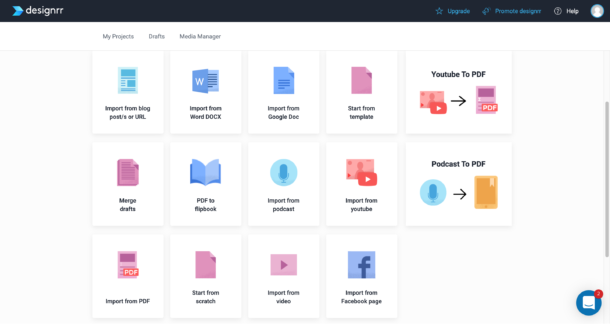
Designrr is built for one thing: import content from somewhere, and publish it to everywhere. Point it at a blog URL, a Word file, a Google Doc, a YouTube video, or a podcast, and it lays the result out as a clean ebook, flipbook, or PDF — with a built-in library of 800,000-plus royalty-free images so you’re not paying separately for stock.
The pricing model is the real contrast. Instead of a recurring per-seat subscription, Designrr regularly runs a $27 one-time lifetime deal on its Standard plan (Capterra confirms the $27 lifetime option), with paid monthly tiers above it for heavier publishing. Every plan includes a 7-day free trial and a 30-day money-back guarantee.
| Feature | Canva | Designrr |
|---|---|---|
| Starting price | $18/mo (Pro) | $27 one-time (Standard) or $29/mo |
| Annual discount | ~33% on Pro | Lifetime entry available |
| Seat minimum | Sold per person | None |
| Free trial | 30 days, card required | 7 days |
| Money-back guarantee | Case-by-case | 30 days |
| Import a blog/video/podcast into a document | No | Yes |
| Built-in royalty-free images | Premium library | 800,000+ included |
Where Designrr falls short — because no honest pricing guide skips this:
- It can’t import image-based PDFs. Scans, magazine PDFs, and files exported from Canva or InDesign as flattened images won’t import — only text-based PDFs work. One G2 reviewer bought the $27 plan specifically to convert a Canva-made book and found it “solves nothing” for that case, because the source was a flattened design.
- The $27 tier is an entry point, not the full suite. PDF import, Kindle/ePub export, and the Flipbook generator sit on the Pro plan ($39/mo). The lifetime price is real, but serious publishers usually upgrade.
- Lifetime-deal holders have voiced gripes. A long-time Capterra reviewer said newer features getting limits felt like “a rug pull.” Worth weighing if you’re buying for the long haul.
And the praise, fairly attributed:
A verified reviewer on Trustpilot was skeptical the $27 deal was “too good to be true” — then found the value held up (Trustpilot).
Karen Clark N. on Capterra (a volunteer org) said the “$27 lifetime price was perfect” for a team that rotates members each year (Capterra).
If you’re coming from Canva, there’s a switcher offer:
Sign up for Designrr’s special offer today!
Canva vs Designrr at a Glance
| Canva | Designrr | |
|---|---|---|
| Starting price | $18/mo or $144/yr | $27 one-time or $29/mo |
| Best at | All-round visual design | Turning content into ebooks/PDFs |
| Output focus | Social, slides, video, print | Ebooks, flipbooks, Kindle, PDF |
| Free trial | 30 days (card required) | 7 days |
| Refund policy | Case-by-case | 30-day money-back |
| Pays off when | You design often and varied | You publish documents from existing content |
Want the feature-level detail? The Designrr vs Canva comparison breaks down templates, export formats, and AI tools side by side.
The Bottom Line
If you design across formats every week and value team collaboration, Canva at $18 a month — or Business if you have several genuine designers — is money well spent, and its free tier is a fair place to start. Just go in with eyes open about the auto-renewal, the cancellation friction, and the per-seat math as your team grows.
But if your real goal is to turn the content you already own into a polished ebook or lead magnet, paying a recurring subscription for a broad design tool you’ll barely use is the wrong shape of deal. A flat, document-first option fits that job better — and costs a lot less to keep. (If your real need is high-end print layout rather than documents, the comparison worth reading is Canva vs Adobe InDesign, not Canva versus a document tool.)
To run the numbers on your own situation, use the Three-Question Cost Check: How often will I actually use it? How many people truly need a seat? Is my real output a design, or a document? Your answers point straight to the right tool.
Ready to try it? Sign up for Designrr’s special offer today!
Frequently Asked Questions About Canva Pricing
Clear answers on what Canva really costs in 2026 — plans, per-seat math, and the fine print
How much does Canva cost in 2026?
Canva offers four plans. Free is $0 forever, Pro is $18 per month (about $12 a month if billed annually at $144/year), and Business is $25 per user per month (about $21 a month on the annual $250-per-person plan). Enterprise is a custom quote aimed at large organizations with 50+ seats and advanced security needs.
What’s the difference between Canva Pro and Canva Business?
Pro is a single-user license — only one person can use it, and you can’t add colleagues. Business is the multi-seat plan, priced per person at $250 a year (or $25 a month) for each seat. The moment a second person needs their own login, Canva moves you from Pro onto Business billing automatically.
Is Canva Free actually free forever?
Yes — Canva Free is a permanent plan, not a trial, and it’s more generous than most free tiers. You get the drag-and-drop editor, 1,000+ design types, millions of templates and free photos, real-time collaboration, and exports to PNG, JPG, PDF, MP4, and GIF. The limits are 5 GB of storage, locked or watermarked premium assets, and tools like Background Remover and Magic Resize that sit behind Pro.
Why did my Canva bill change after adding a teammate?
That’s by design, not a glitch. Pro is a one-person license, so the moment you invite someone who needs their own login, Canva shifts you onto Business — a different, per-seat price structure. This is the single rule behind most “wait, why did my bill jump?” moments.
How much do I save with annual billing?
Annual billing is where the savings live. Pro drops from $18 to about $12 a month — roughly a 33% discount — and Business falls from $25 to about $21 per user a month. If you’re confident you’ll stick with Canva, paying yearly is the obvious call.
Does Canva Business have a volume discount for bigger teams?
No. Business is priced per person with no published volume discount, so the cost scales in a straight line — three seats is $750 a year, five seats is $1,250 a year. Your bill grows directly with your team, and the floor is higher than it first looks.
What hidden costs should I watch for with Canva?
A few things never make the pricing page: plans auto-renew every year and catch people off guard, adding a teammate moves you to pricier Business billing, and cancellation sometimes takes more than one attempt according to user reviews. If you subscribed through Apple or Google, you must cancel through that app store. Heavy AI users may also need the separate AI Pass at $100 per user a month, though most people never do.
Can I get a refund if I bought Canva through the App Store?
Not from Canva directly. If you subscribed via Apple or Google, Canva can’t process the refund — you have to go through the app store’s own cancellation and refund process instead.
What happened to Canva Teams pricing?
In September 2024, Canva replaced its old flat Teams rate (around $120 a year for up to five people) with per-seat billing. For some long-time customers, a five-person plan rose from about $120 to $500 a year. Canva pointed to its new AI tools as the reason, later restored original pricing for many early adopters, and published a “Pricing Promise” of at least 60 days’ notice before future changes. Per-seat pricing has since climbed to about $21 per user a month on annual billing.
Is Canva worth the price?
Think of it like a gym membership. If you design across formats every week — social posts, slides, video, print, brand kits — Canva is outstanding value at $12 to $18 a month, and its free tier is a fair place to start. It chafes for occasional users paying full price to use one or two features, and for small teams paying full freight per seat with no volume discount.
Is there a cheaper alternative for turning content into ebooks or PDFs?
Yes. If your real goal is publishing ebooks, lead magnets, or downloadable PDFs from content you already own, a document-first tool fits better than a broad subscription. Designrr imports from a blog URL, Word file, Google Doc, YouTube video, or podcast and lays it out as a clean ebook, flipbook, or PDF — with 800,000+ royalty-free images included. Instead of a recurring per-seat fee, its Standard plan regularly runs a $27 one-time lifetime deal, with a 7-day free trial and a 30-day money-back guarantee.